Deep Research Usage Boundaries
This document is intended for business users who use the Deep Research feature in daily work, helping you understand the feature’s capability scope, usage limits, and known considerations, so as to establish reasonable expectations for use.
1. Execution Limits
| Limit Item | Description |
|---|---|
| Maximum number of research steps | By default, up to 5 research steps can be executed; this can be adjusted by an administrator |
| Maximum clarification rounds | The system can ask you up to 3 rounds of clarification questions, after which it automatically enters the research planning stage |
| Research timeout duration | A single research session can run for up to 8 hours; it will be automatically terminated after timeout |
| Number of replans | By default, the research plan is allowed to be regenerated only once |
2. Research Plan Confirmation
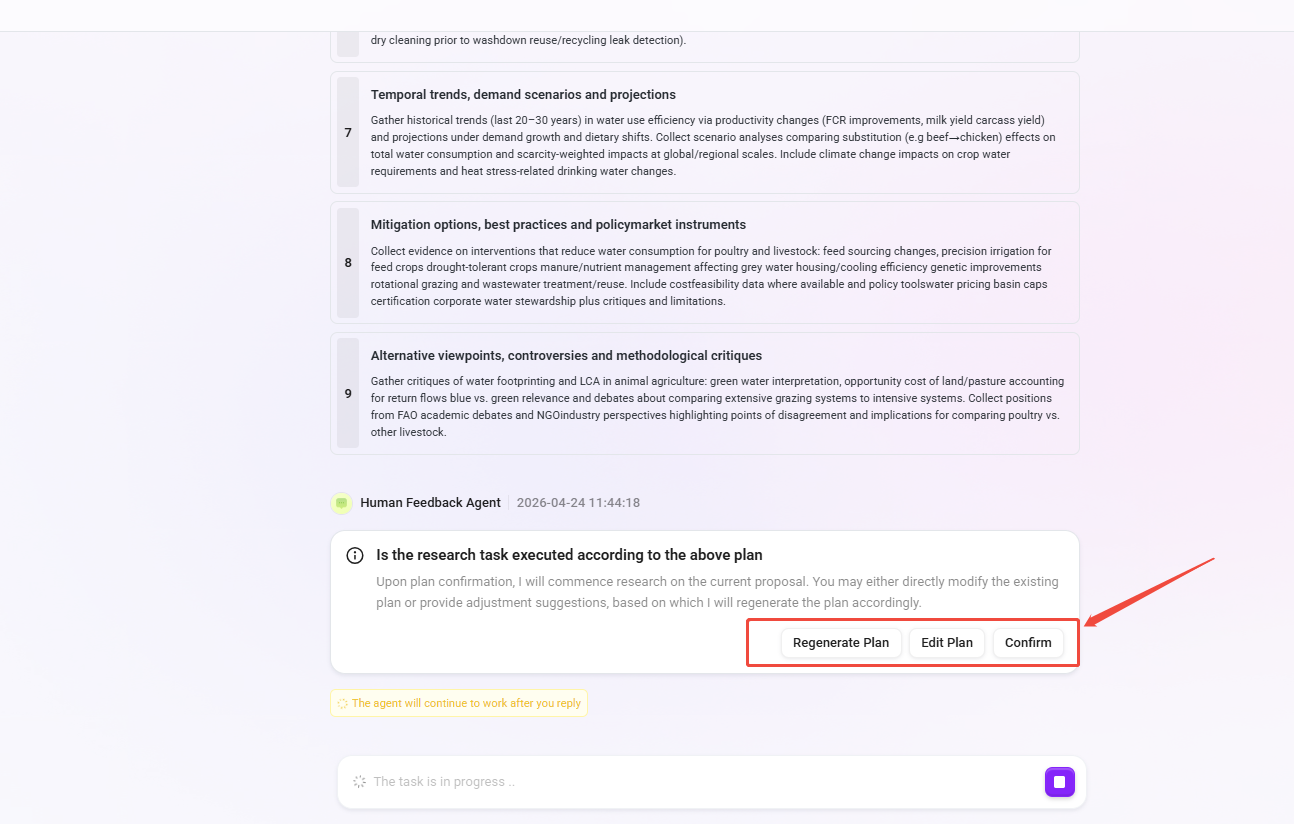
- After the system generates a research plan, it will pause and wait for your confirmation. You can choose to:
- Confirm: execute directly according to the plan
- Edit: modify the plan steps before execution (modification will replace all steps as a whole; single-step editing is not supported)
- Regenerate: let the system generate a new plan
- If you choose to regenerate but do not provide a specific direction, the system will provide modification suggestions for reference
3. Stop Research
- While the research is in progress, you can actively stop it at any time
- After stopping, the content of completed steps will be retained and will not be deleted
- There is a delay of about 1–2 tool calls for the stop signal, so it will not interrupt immediately
4. Report Export
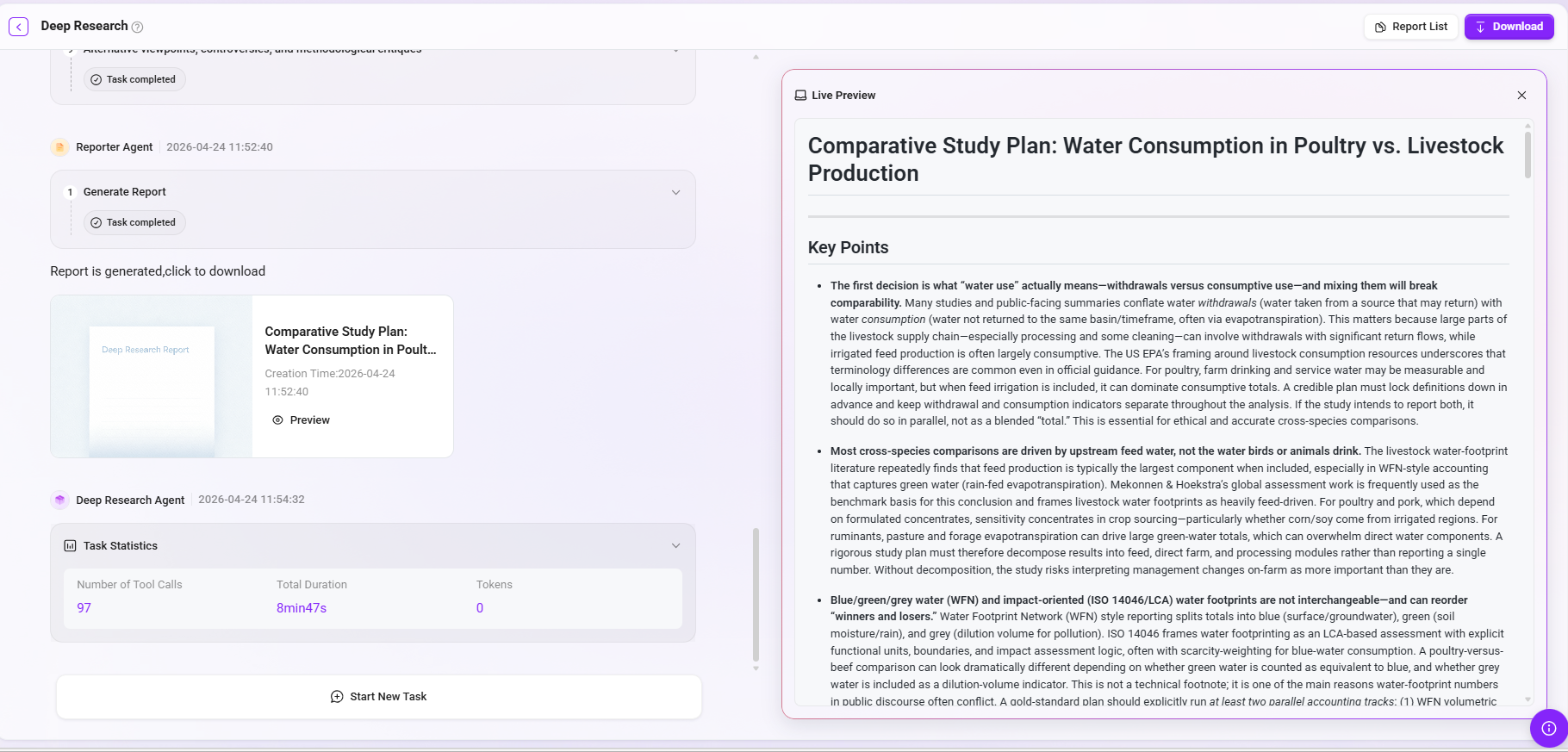
- After the research is completed, you can export the report file (supporting Word, PDF, and other formats)
- The report is generated asynchronously. After submitting the export request, you need to wait; once the status is refreshed, it can be downloaded
- If generation fails, you need to initiate the export request again; the system will not automatically retry
5. Known Limitations
Uncertainty in Research Quality
- Whether the system first asks you clarification questions or directly enters research is automatically determined by AI; the same question may have different processing paths
- The use of research tools (search, knowledge base, etc.) is autonomously decided by AI. Even if multiple tools are configured, AI may use only one of them
- If all configured tools are unavailable, the system will rely on the AI’s own knowledge to complete the research, and the result quality may decline
The More Steps, the Higher the Risk to Later-Stage Quality
- The more research steps there are, the greater the amount of information the AI needs to process
- When the amount of information exceeds the AI’s processing limit, the system will forcibly enter the report generation stage. Research results beyond that point will be empty, but the content of completed steps will still be used in the report
Citations and Images in the Report
- Images in the report only come from search results or knowledge base content; image links will not be fabricated out of thin air (constrained by system rules, but 100% compliance is not guaranteed)
- The citation format in the report must be correctly rendered by the frontend system; directly viewing the raw text may display marker symbols
Data and History
- Historical research records will not be automatically cleaned up; after long-term accumulation, storage space should be monitored
- Deleting historical records is a soft delete and will not immediately completely remove the data from the system
6. Permission Description
- You can only view and manage your own research history, configurations, and report styles
- System-level configurations and report templates are centrally managed by administrators and cannot be modified by ordinary users