AI Translator
Product Overview
AI Translator is a translation app designed for cross-language workplace scenarios, supporting two modes: document translation and text translation. Whether for daily communication content or business materials and professional documents, it improves translation efficiency and accuracy while ensuring terminology consistency.
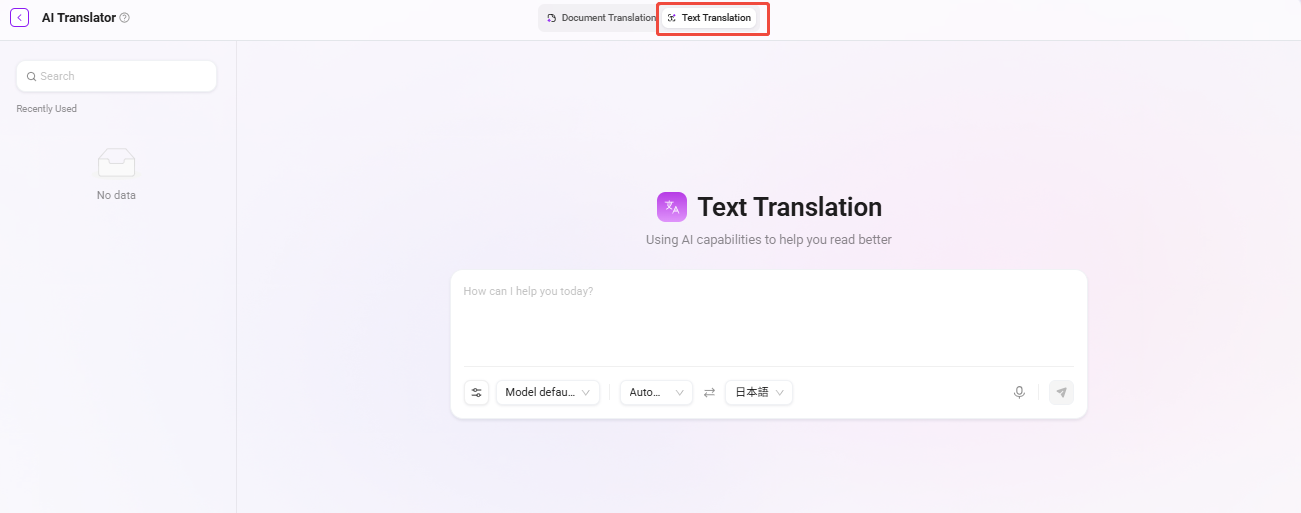
AI Translator page:
Typical Application Scenarios
- International business communication: Quickly translate quotations, contracts, emails, and customer documents.
- Marketing and content localization: Batch process multilingual marketing materials and promotional copy.
- Internal knowledge sharing: Uniformly translate foreign-language materials and consolidate them into the knowledge base.
Core Value
- Professional and accurate: Combined with glossaries, translations better align with industry expression habits.
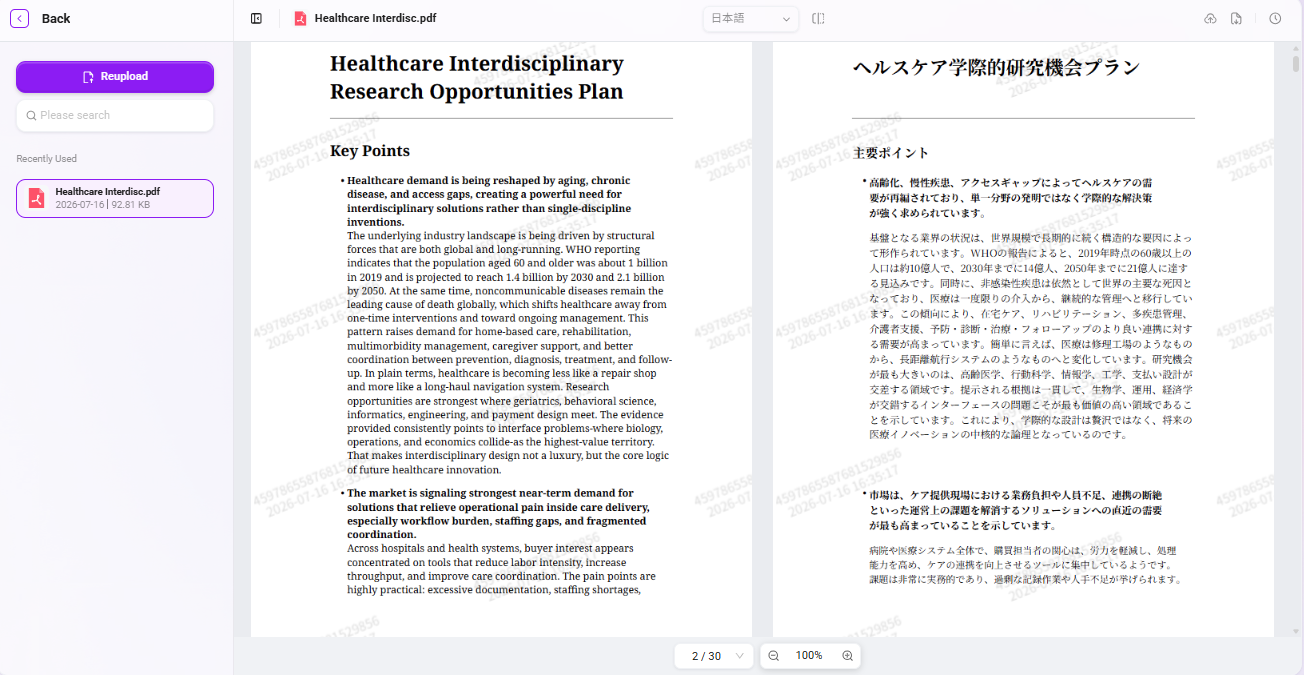
- Clear comparison: Source text and translated text are displayed side by side for easy manual review.
- Knowledge integration: Translation results can be directly stored in the knowledge base, supporting subsequent AI knowledge Q&A and reuse.
Using AI Translator
Prerequisites
Administrator:
- Configure OCR environment variables
User:
- Have access permission to the AI Translator APP
Usage Boundaries
-
Models
- Supported models: OpenAI, Azure, AWS AI, Tongyi
-
Document upload
- File upload methods: support knowledge base documents (when entering from the knowledge base entry) / upload local documents
- Maximum uploads: up to 100 documents can be uploaded simultaneously (the specific number can be controlled through environment variables)
- File size: within 100MB
-
Translation
- Supported file formats for translation: .pdf/pdf scanned copies/.docx/.pptx/.xlsx
- Number processed per time: 3
- Supported number of glossaries: 1-3
- Supported languages: English, Simplified Chinese, Traditional Chinese, Japanese, Korean, French, German, Spanish, Italian, Portuguese, Russian
- Supported preview file formats: .pdf/.xlsx
Document Translation
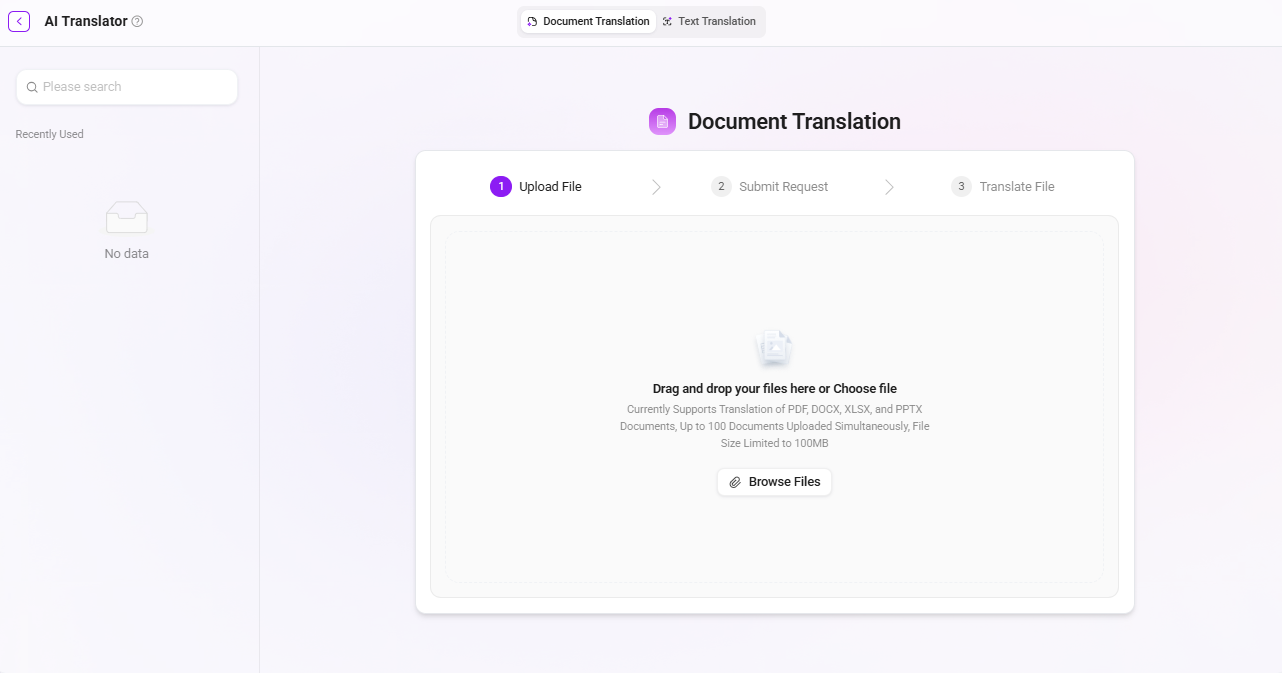
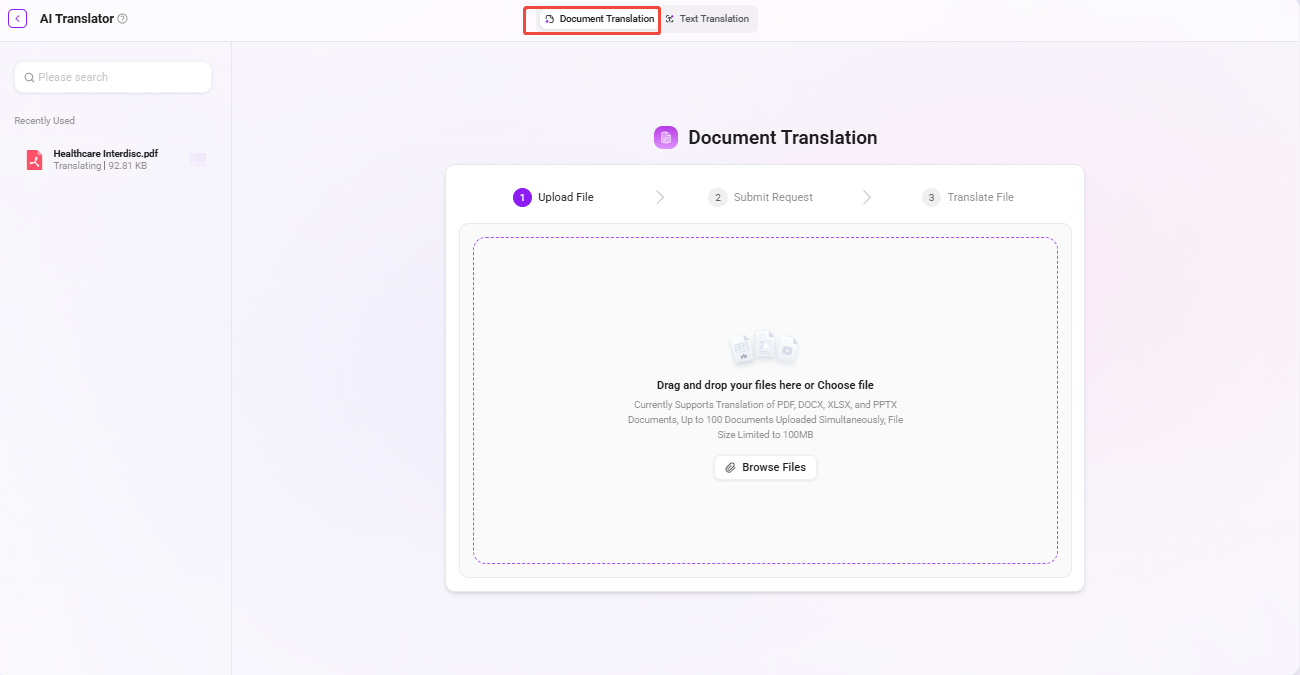
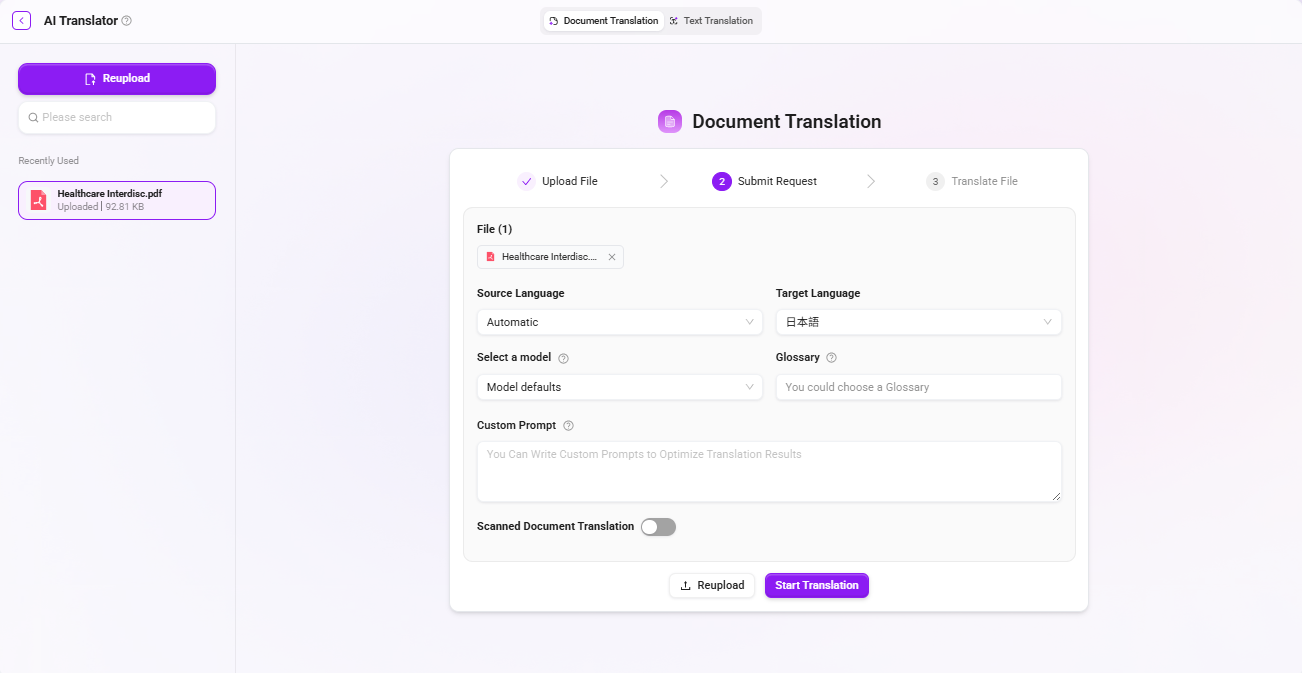
- Open AI Translator and select the translation mode as “Document Translation”.
- Upload files: Upload local files, supporting .pdf/pdf scanned copies/.docx/.pptx/.xlsx formats.
- File size: A single file must not exceed 100MB.
- Processing method supports submitting 1-5 files at one time (the specific number can be controlled through environment variables), with up to 100 documents supported for batch upload. The system will process them in sequence, greatly reducing repetitive operations.
- Submit request: Configure translation parameters, including source language, target language, translation model, glossary, and custom prompt.
- Custom prompt: You can write custom instructions to finely control translation style, terminology handling, output format, etc., making the translation better fit specific business scenarios.
- After the translation is completed, the page displays a side-by-side view of the source text and translated text, and you can switch to pure translation mode with one click for convenient comparison, review, and proofreading.
- Process translation results:
- Download locally: The translated file format is supported to remain consistent with the uploaded source file format.
- Upload to knowledge base: The translated files can be directly uploaded to the knowledge base for team sharing or subsequent Agent invocation.
Text Translation
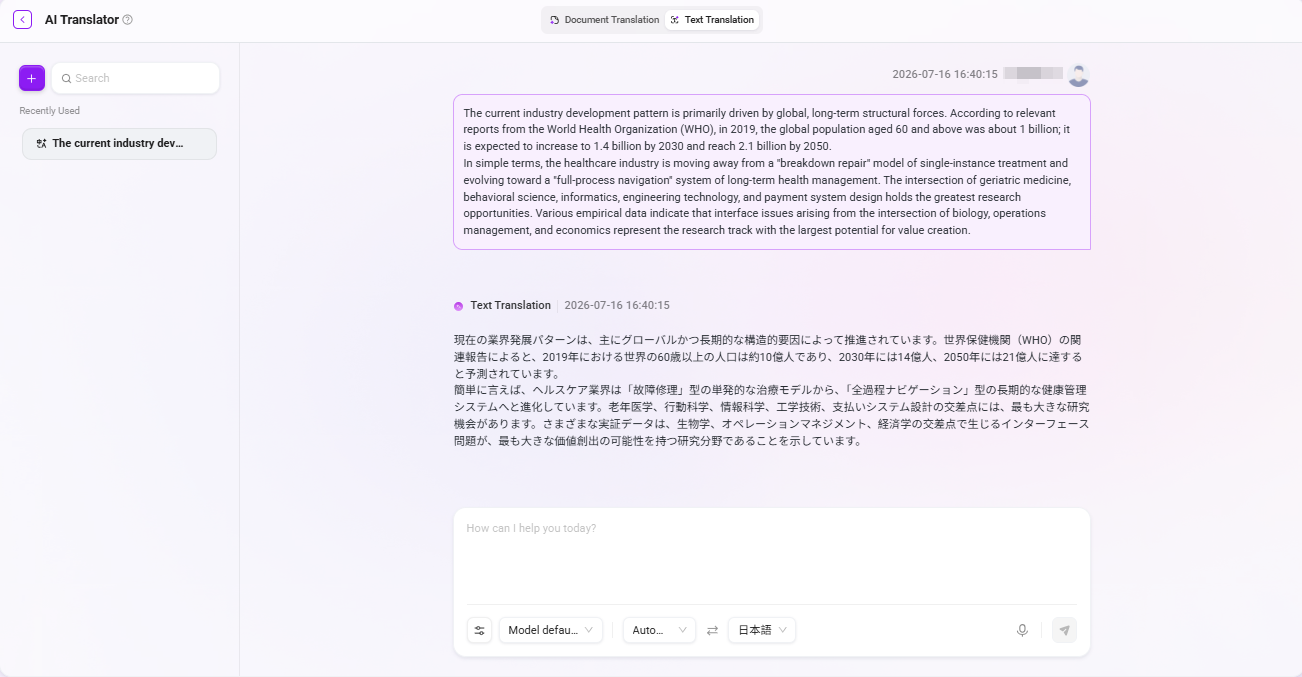
- Select the translation mode as “Text Translation”.
- Enter the text to be translated, supporting manual input or voice input.
- Configure translation parameters: source language, target language, translation model, glossary, translation style.
- Translation style: Supports styles such as professional, conversational, friendlier, more technical, concise, expanded, which can be flexibly selected according to the scenario.
- After sending, the translation results will be output one by one in a conversational stream format.