Knowledge Base Search
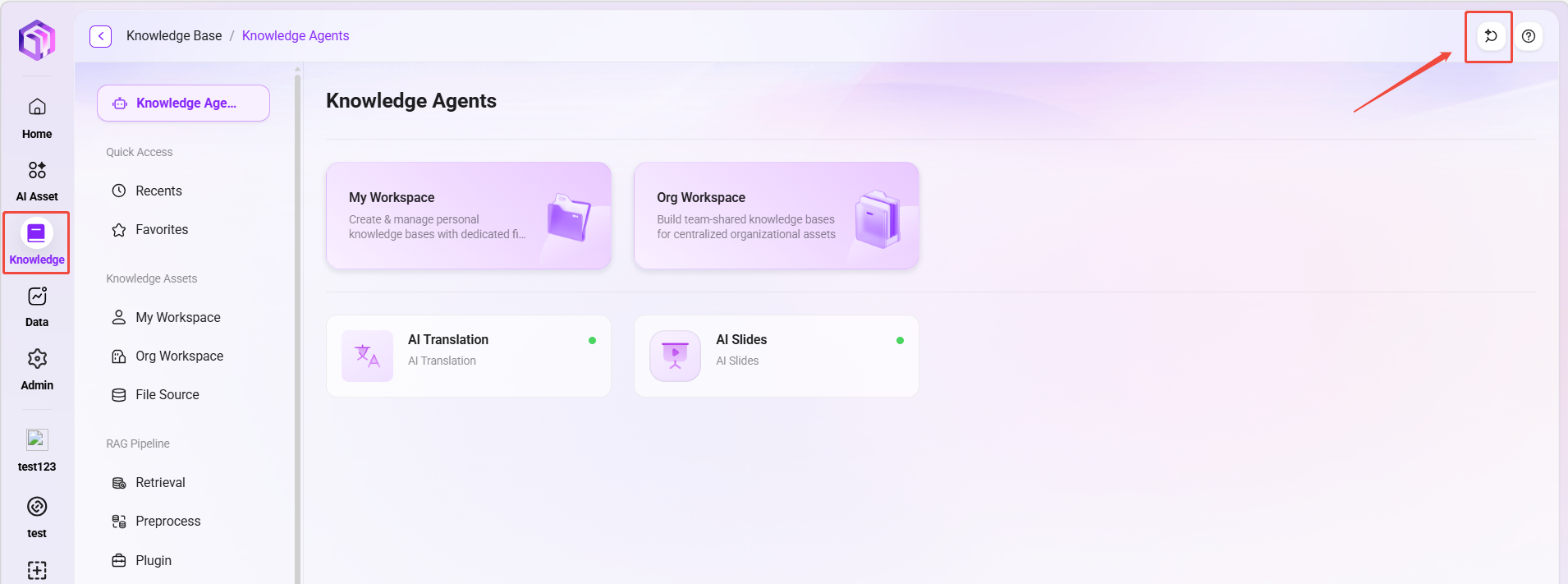
To improve information retrieval efficiency, the SERVICEME platform provides two methods: "Quick Search" and "AI Search". Users can click "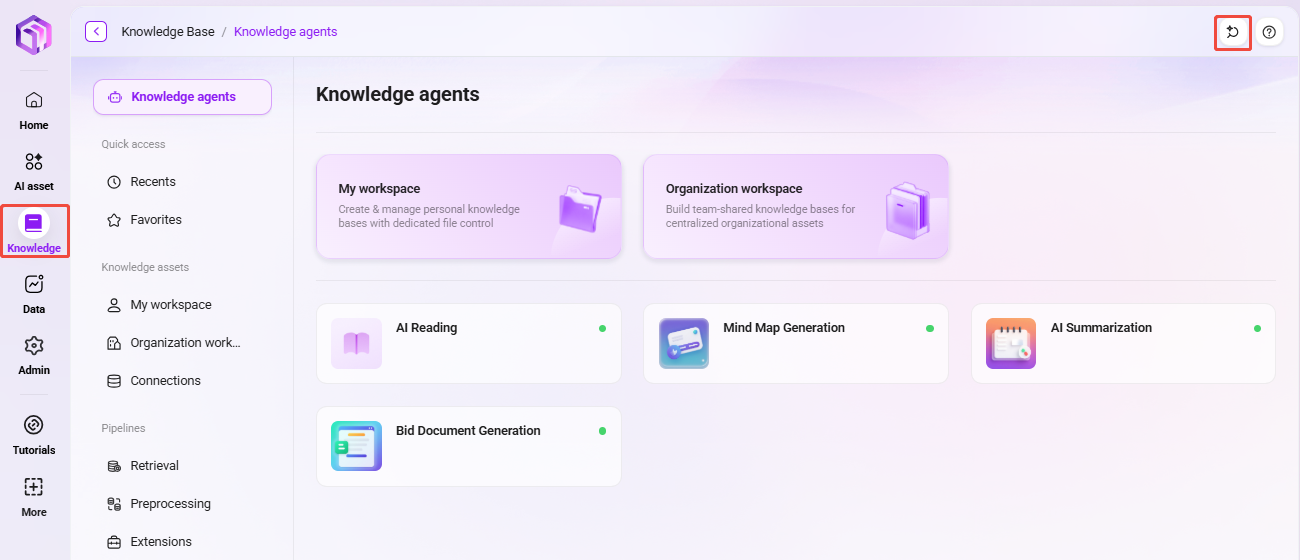 " in the upper-right corner of the knowledge base interface to enter the intelligent search interface and choose the appropriate search mode based on their query needs.
Intelligent Search Entry
In the upper-right corner of the knowledge base page, click "" to enter the intelligent search interface and choose the appropriate search mode based on your query needs. You will then enter the intelligent search interface (as shown below).
This entry is located at the top-right of the knowledge base operation area, allowing users to initiate intelligent Q&A or query operations at any time.
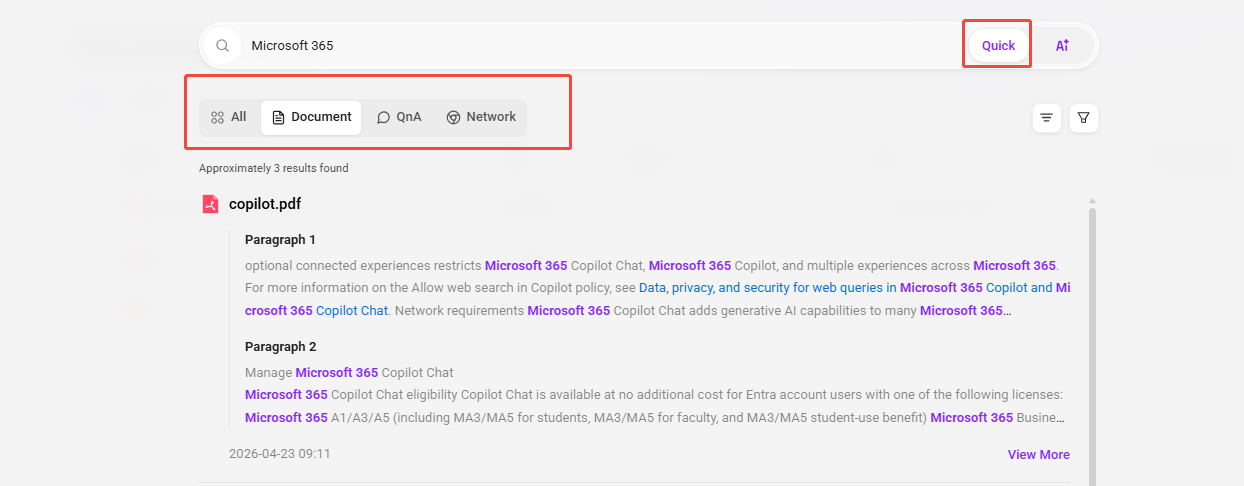
Quick Search — Reach Information Sources Directly with Keywords
Quick Search is based on a keyword matching mechanism. The system quickly locates relevant content across multiple data sources, including:
-
Knowledge base document retrieval: The system searches the knowledge base for document content containing the entered keywords;
- For example, when searching for
Microsoft 365, the system will automatically look for content related to this term in all knowledge documents; - Matched documents will be sorted by relevance, making it easier to view the most relevant materials first;
- Click "View More" below the search results to preview documents online.
- For example, when searching for
-
QnA matching: The system also automatically identifies and recommends frequently asked questions and answers related to the keywords.
-
Web search: If the knowledge base does not contain relevant content, the system will also provide extended information sources through web search.
✅ Applicable scenarios: Quick Search is suitable for quickly locating and reviewing information based on known keywords, terms, product names, feature points, and similar content.
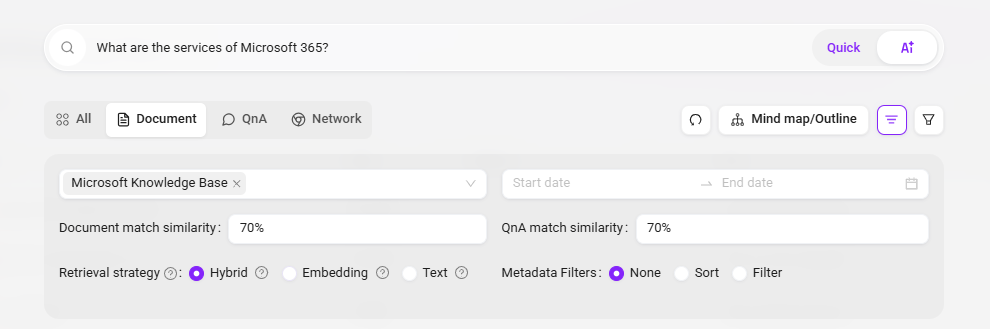
AI Search — Understand Semantics and Intelligently Generate Answers
AI Search is based on natural language processing technology. It can deeply understand the real intent behind user queries, convert it into an internal system request for question processing, and provide accurate and natural answers by combining multiple data sources.
Features
-
Automatic question parsing: Users can directly enter complete questions or descriptive sentences (such as "What services does Microsoft 365 have?"), and AI will automatically parse the intent and convert it into a searchable knowledge request.
-
Multi-source integrated retrieval: Answers from AI Search can come from:
- Knowledge base documents
- Configured QnA repositories
- Online information (such as web content)
-
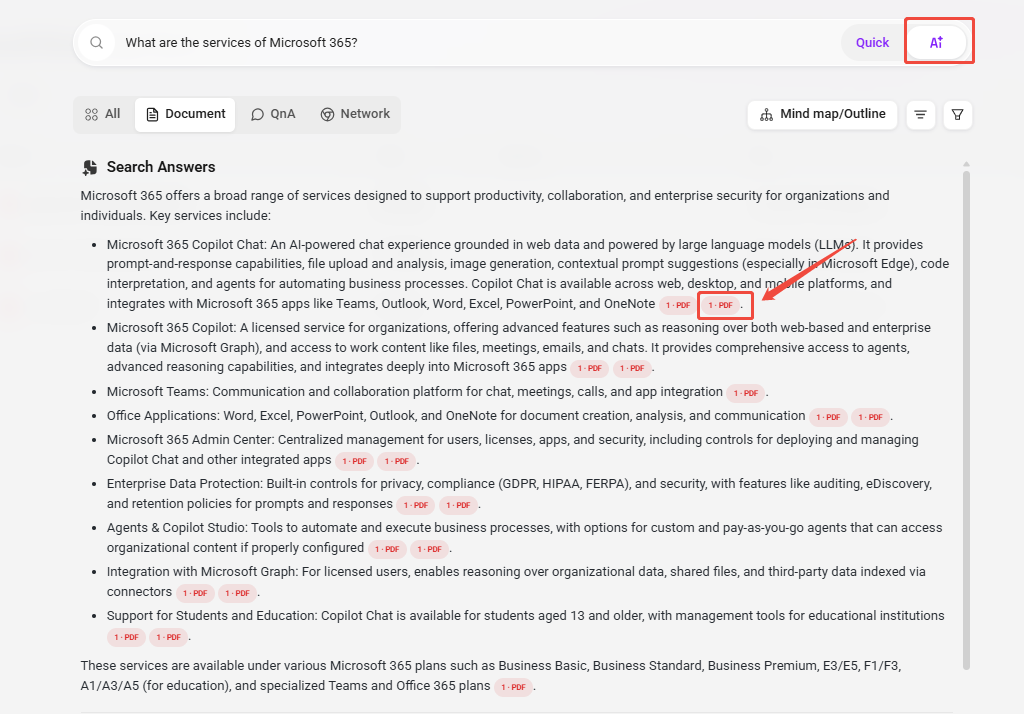
Source citation labeling: Each AI answer is automatically attached with the source documents of the cited knowledge;
- Clicking a citation allows you to directly open the document on the left for content preview, making verification and in-depth reading more convenient.
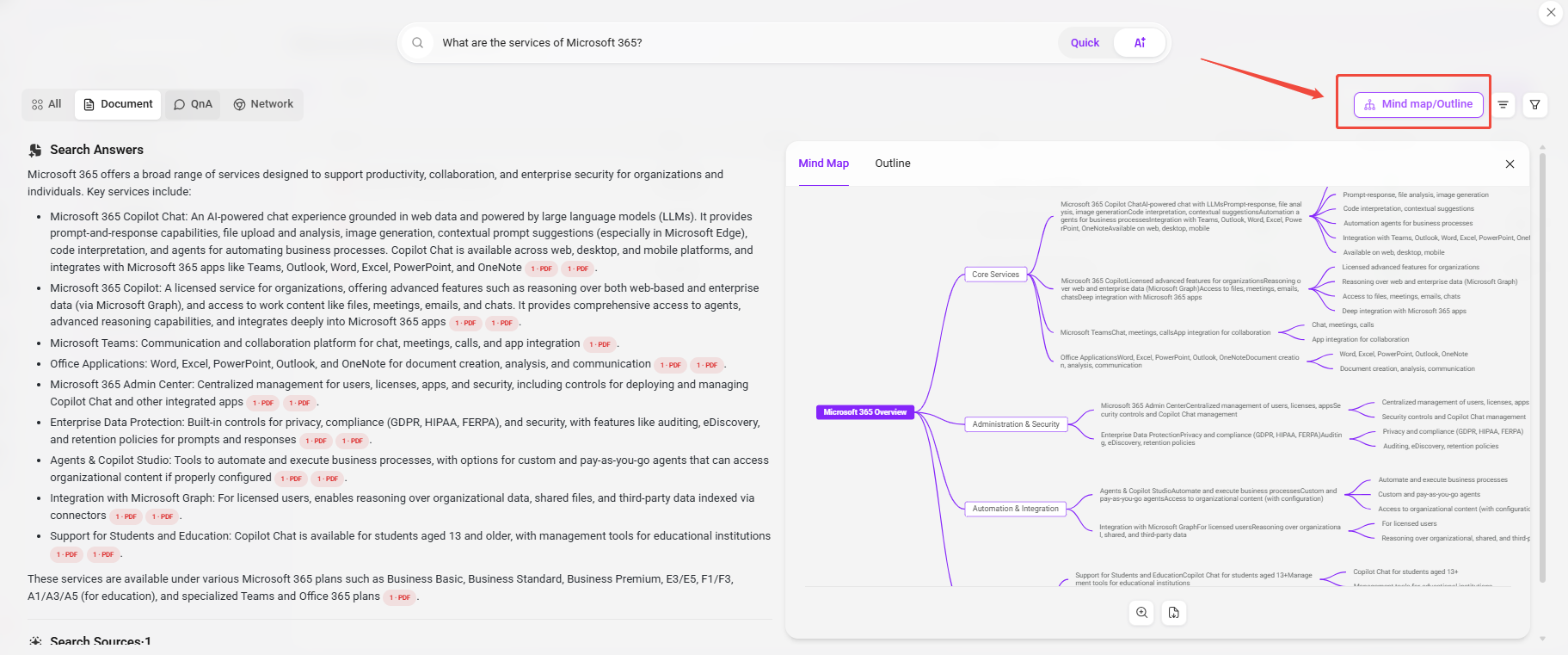
- Intelligent summary output: After the answer is completed, users can also click the "Mind Map/Outline" button on the right side of the answer, and the system will automatically refine and summarize the current answer content:
- Display core points and structure visually in the form of a mind map;
- Present a clearly organized content structure in the form of an outline, making it convenient for subsequent organization, reuse, or documentation.
✅ Applicable scenarios: AI Search is suitable for scenarios where keywords are uncertain, systematic answers are desired, or questions are more complex.
Feature Comparison Overview
| Feature Comparison | Quick Search | AI Search |
|---|---|---|
| Input method | Keywords | Natural language questions |
| Matching mechanism | Keyword matching | Intent recognition + multi-source retrieval |
| Returned content | Documents, QnA, web results | Answers (with cited source descriptions) |
| Additional capabilities | Document preview | Citation jump, mind map/outline generation |
| Applicable scenarios | Quickly locating content | Obtaining structured answers |
Search Scope
-
Searchable content: File names, file content, QnA questions, QnA answers
-
Supported languages: Simplified Chinese, Traditional Chinese, English (other languages can be added in multilingual settings)
-
Supported file types: TXT、DOCX、XLSX、XLS、PPTX、PDF
-
Search result display: All, documents, QnA, web
-
Search filter conditions: File space, date, metadata filtering, document matching similarity, QnA matching similarity
-
Search result sorting: Relevance, time dimension