Tools Management
Administrators can manage the tool modules in the system. These tools are functional components that agents can invoke. Through organizational tool management, administrators can accumulate and reuse the enterprise's core business capabilities.
View Tool Cards
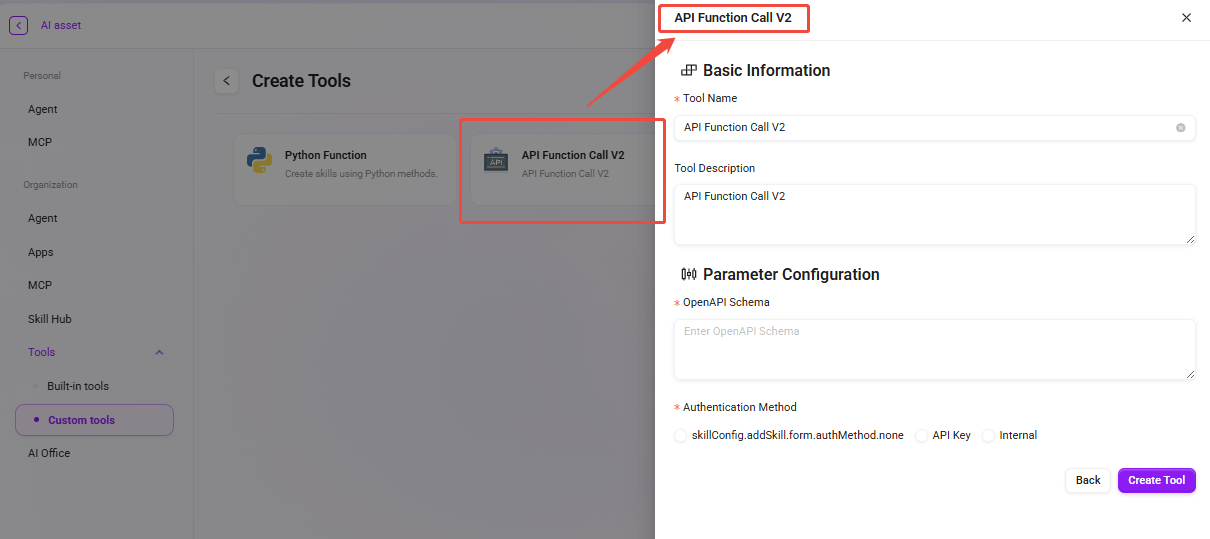
- Go to the Tools Management page: Navigate to "Organization -> Tools Management".
- View tools: Tools are divided into two categories: built-in tools and custom tools.
Tool Configuration
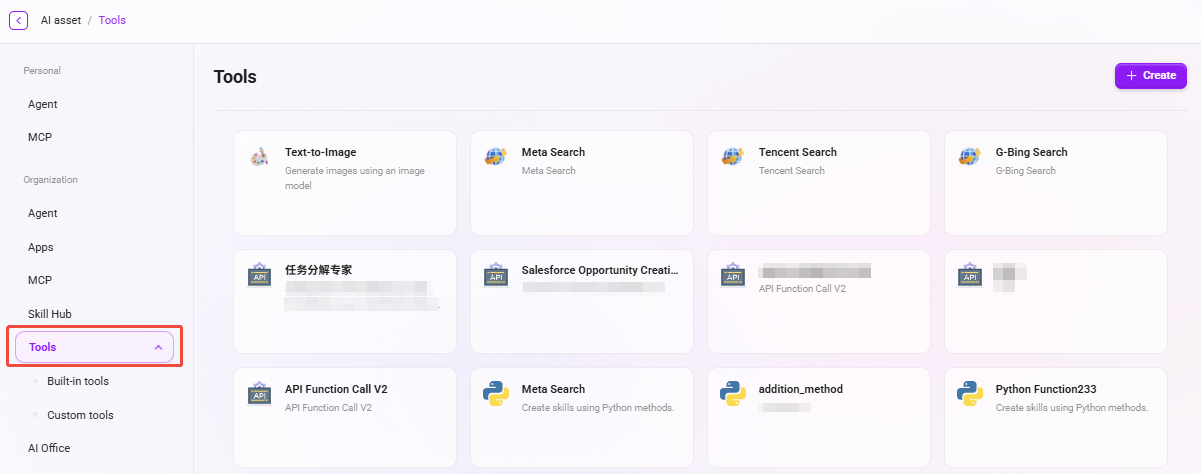
- Select the tool to configure: Select the item that needs configuration from the tool list.
- Click the "Configure" button: Click “✏️” to enter the configuration page and set the tool's execution parameters, trigger conditions, and permission controls.
- Save configuration: After completing the configuration, click the "Save" button to update the tool configuration.
Features and Configuration Instructions for Custom Tools
Create Tools Using Python Methods
Applicable users:
Users with some programming foundation (familiar with Python syntax and function definitions).
Feature description:
Python Function allows users to directly write Python functions on the platform to implement personalized business logic or data processing functions.
For example, text analysis, data format conversion, simple calculations, rule validation, etc. can all be implemented through custom functions.
Creation steps:
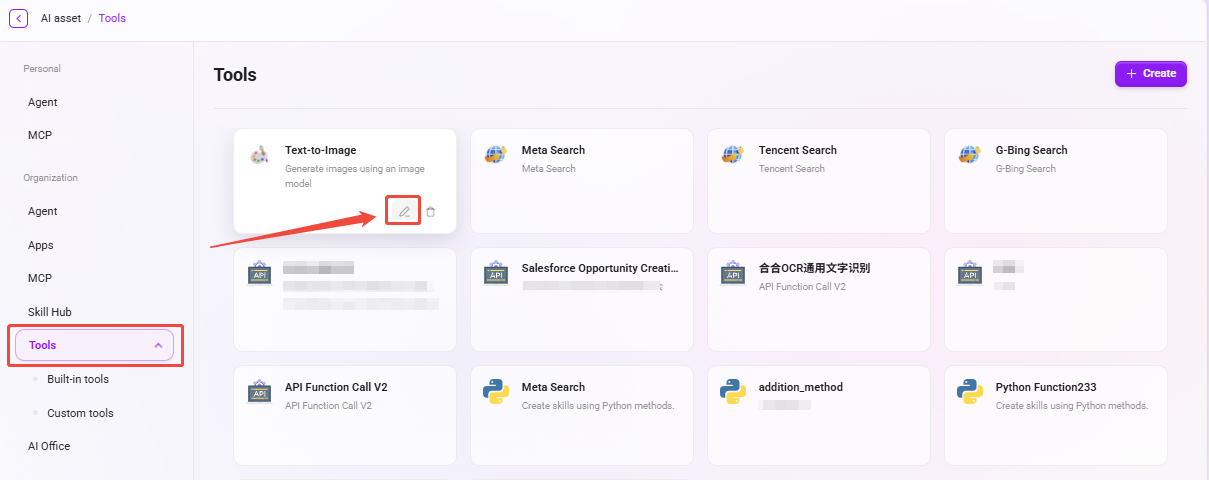
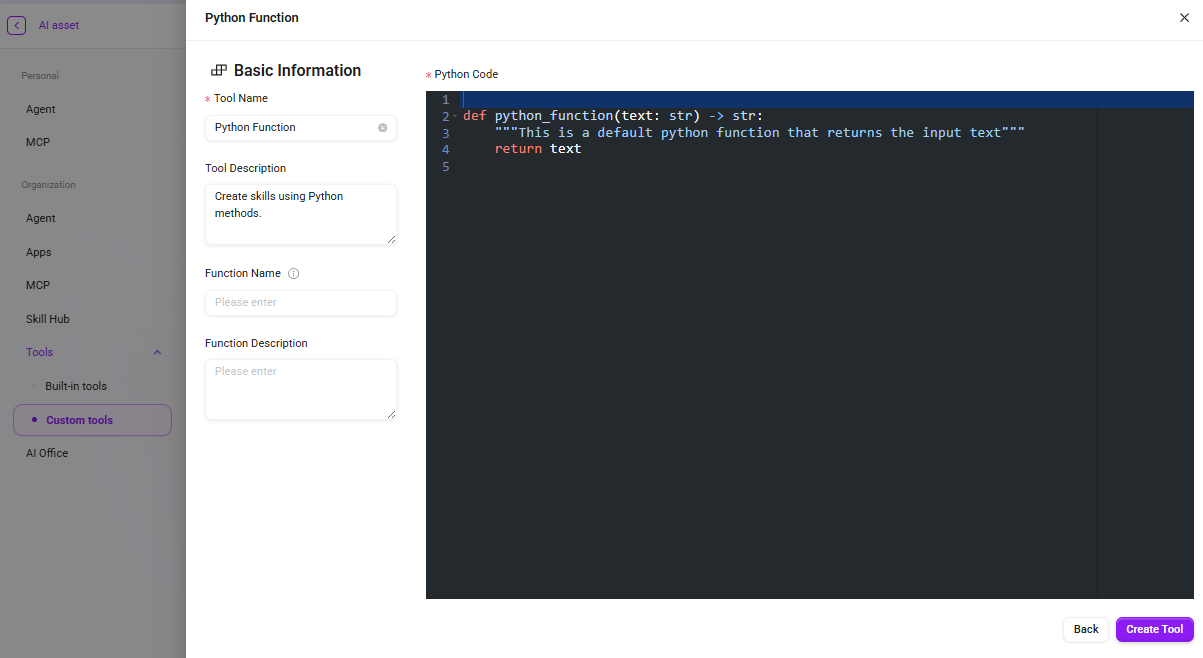
- On the "Custom Tools" page, click “Create”;
- Select the “Python Function” type;
- Fill in the basic information:
- Tool Name: Tool name;
- Tool Description: Tool description;
- Plugin Description / Plugin Name: Used to define plugin metadata.
- Write Python code in the editor on the right, for example:
You can modify the code based on actual business logic, such as adding functions for data calculation, text extraction, or rule judgment;
def python_function(text: str) -> str:
    """This is a default python function that returns the input text"""
return text - Click “Create Tool” to complete creation.
Create Tools Through API Interfaces
Applicable users:
Technical personnel familiar with RESTful API, OpenAPI Schema, and basic authentication mechanisms.
Feature description:
API Function Call V2 allows users to extend AI capabilities through external interfaces,
enabling the Agent to directly access third-party systems or internal enterprise services, such as CRM systems, ERP interfaces, weather queries, translation services, etc.
Creation steps:
- On the "Custom Tools" page, click “Create”;
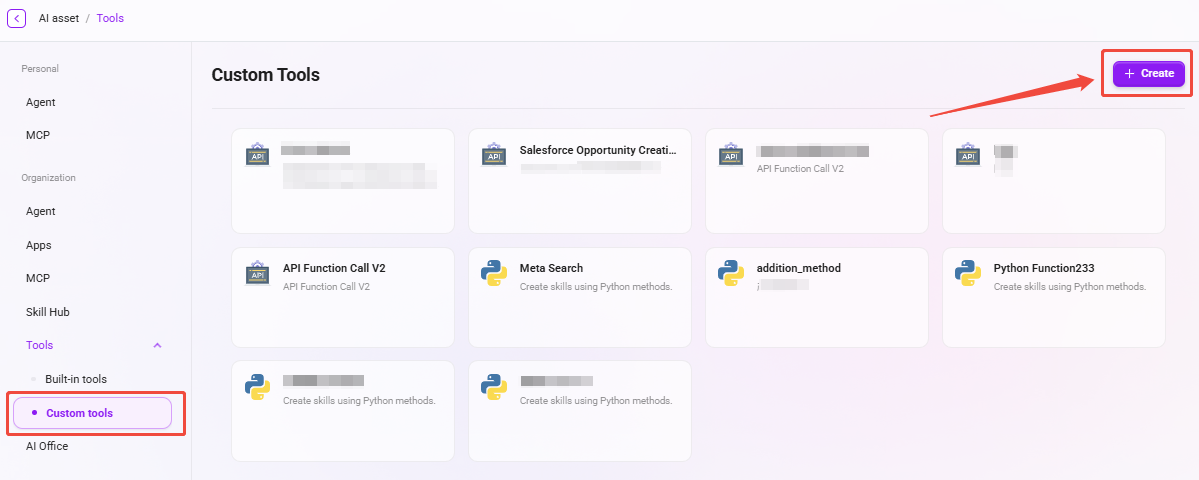
- Select “API Function Call V2”; type;
- Fill in the basic information:
- Tool Name / Tool Description: Tool name and description;
- In the Parameter Configuration area, fill in:
- OpenAPI Schema: Enter the OpenAPI description information of the target interface;
- Authentication Method: Select the appropriate authentication type (None / API Key / Internal);
- API Key: If API Key authentication is selected, the key must be filled in;
- Auth Type: Supports Basic or Bearer authentication methods.
- Save the configuration and create the tool.