Using Tools
Configuring Tools in a Basic Agent
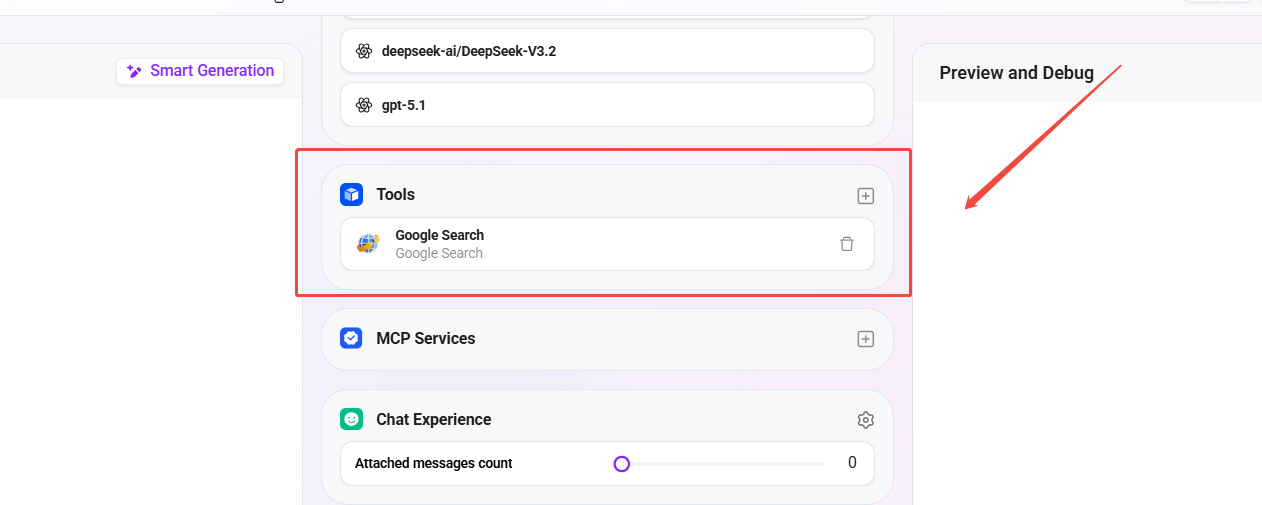
A basic Agent supports adding tools directly, enabling the Agent to automatically identify and invoke the appropriate tools during the Q&A process. The configuration steps are as follows:
- Go to the target Agent's configuration page;
- Locate the "Tools" module;
- Click the "+" button on the right side of the tool area;
- In the pop-up tool list, select the tools you want to add; multiple selections are supported;
- Click Confirm and save the Agent configuration.
After completion, the Agent can automatically trigger tool invocation at runtime based on the user's intent or instructions, achieving a closed loop from "identifying needs" to "executing actions."
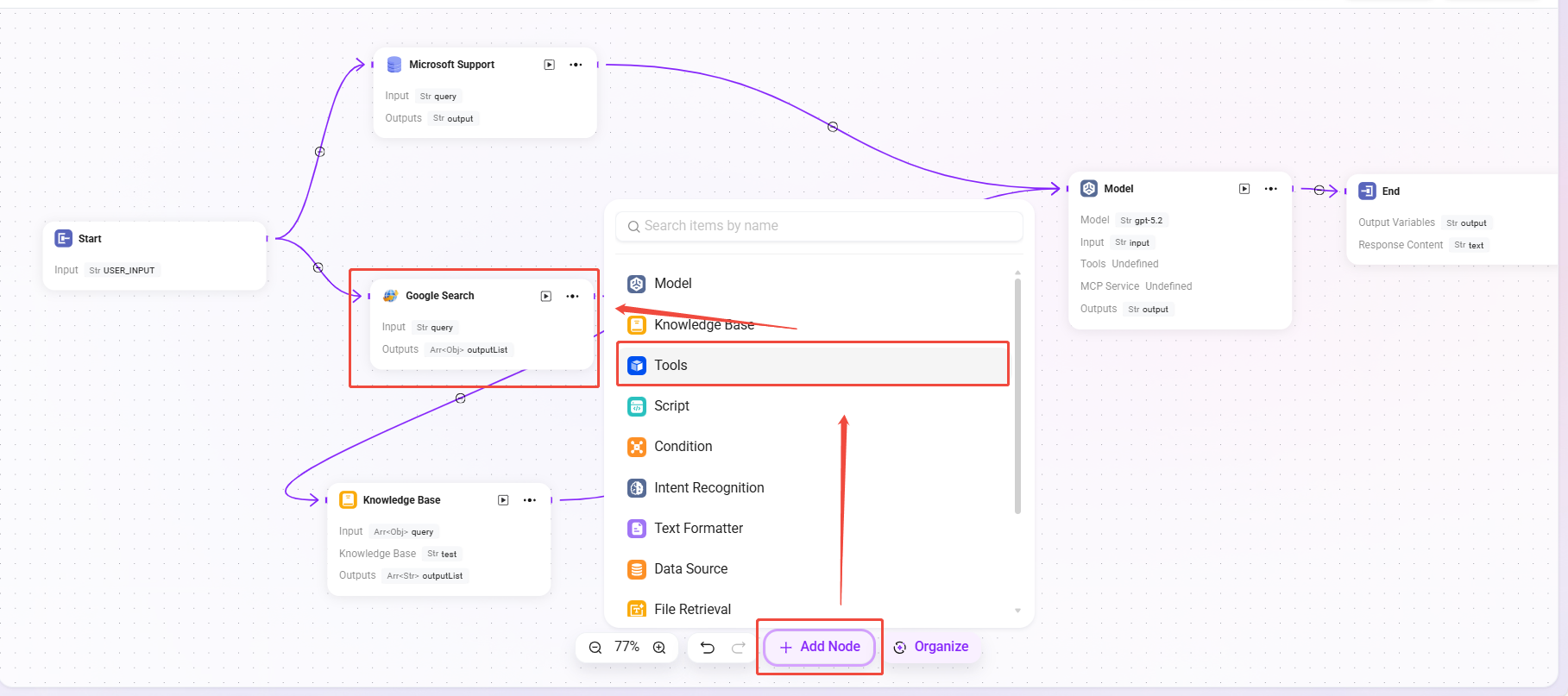
Using Tool Nodes in an Advanced Orchestration Agent
For complex scenarios or Agents that require collaboration among multiple tools, this can be achieved through advanced orchestration. The steps are as follows:
- Open the Advanced Orchestration Agent;
- Click "Add Node" at the bottom of the page;
- Select the node type as "Tools";
- In the pop-up list, select the tools you want to use;
- Place the tool node in an appropriate position in the workflow, such as after a conditional judgment node or between execution logic nodes;
- Save and publish the Agent.
After publishing, the Agent will invoke the corresponding tools according to the orchestration logic during workflow execution, enabling controllable, reusable, and scalable automated operations.