Retrieval
The Retrieval Pipeline is a key part of the RAG (Retrieval-Augmented Generation) workflow. When a user asks a question, it is mainly responsible for searching the knowledge base, recalling relevant content, and returning suitable chunks for answer generation. By configuring independent Retrieval Pipelines for different Agents or business scenarios, users can control more flexibly how retrieval works, what content is recalled, and how results are returned, and can continuously optimize the effect through testing and release mechanisms, thereby improving the accuracy and controllability of final answers.
Types of Retrieval Pipelines
The system provides two modes: "Basic Orchestration" and "Advanced Orchestration". It supports everything from simple keyword retrieval to advanced workflows such as multi-path recall, reranking, and variable aggregation, helping developers flexibly customize retrieval and generation chains.
Corresponding to these two modes, the system includes built-in default basic pipeline (Basic Orchestration) and default advanced pipeline (Advanced Orchestration). Built-in Pipelines cannot be modified or deleted, but they do support copying before modification, making it convenient for new users to quickly customize retrieval workflows that fit their own business needs based on official templates.
| Comparison Dimension | Basic Orchestration | Advanced Orchestration |
|---|---|---|
| Process impact scope | Inherits more attributes from the start node, and the entire orchestration process directly affects final answer generation. | The process only applies to the retrieval stage and does not directly affect the final answer output. |
| Output content | Answer + related chunks (including detailed information such as vectors) | Only outputs the answer (does not include extra information such as vectors) |
| Applicable scenarios | Scenarios that require deep control over retrieval logic and expect the process to affect the final response. | Scenarios where only retrieval recall quality needs to be optimized, while answer generation is handled independently by other nodes. |
The default built-in Pipelines already fully cover the original RAG retrieval capabilities. They can be used directly or copied and customized as needed, such as custom question rewriting or adding filtering rules.
Inheritance Mechanism
A Retrieval Pipeline cannot be used independently and must be bound to a specific Agent. After binding, the Retrieval Pipeline will inherit the basic configuration of that Agent and pass these attributes into the input of the Pipeline start node.
Inherited attributes: user input, conversation history, model selection, external configuration parameters
This mechanism enables the Retrieval Pipeline to seamlessly perceive the Agent context and avoids repeated configuration.
Execution Mechanism
The execution trigger method of a Retrieval Pipeline depends on its type:
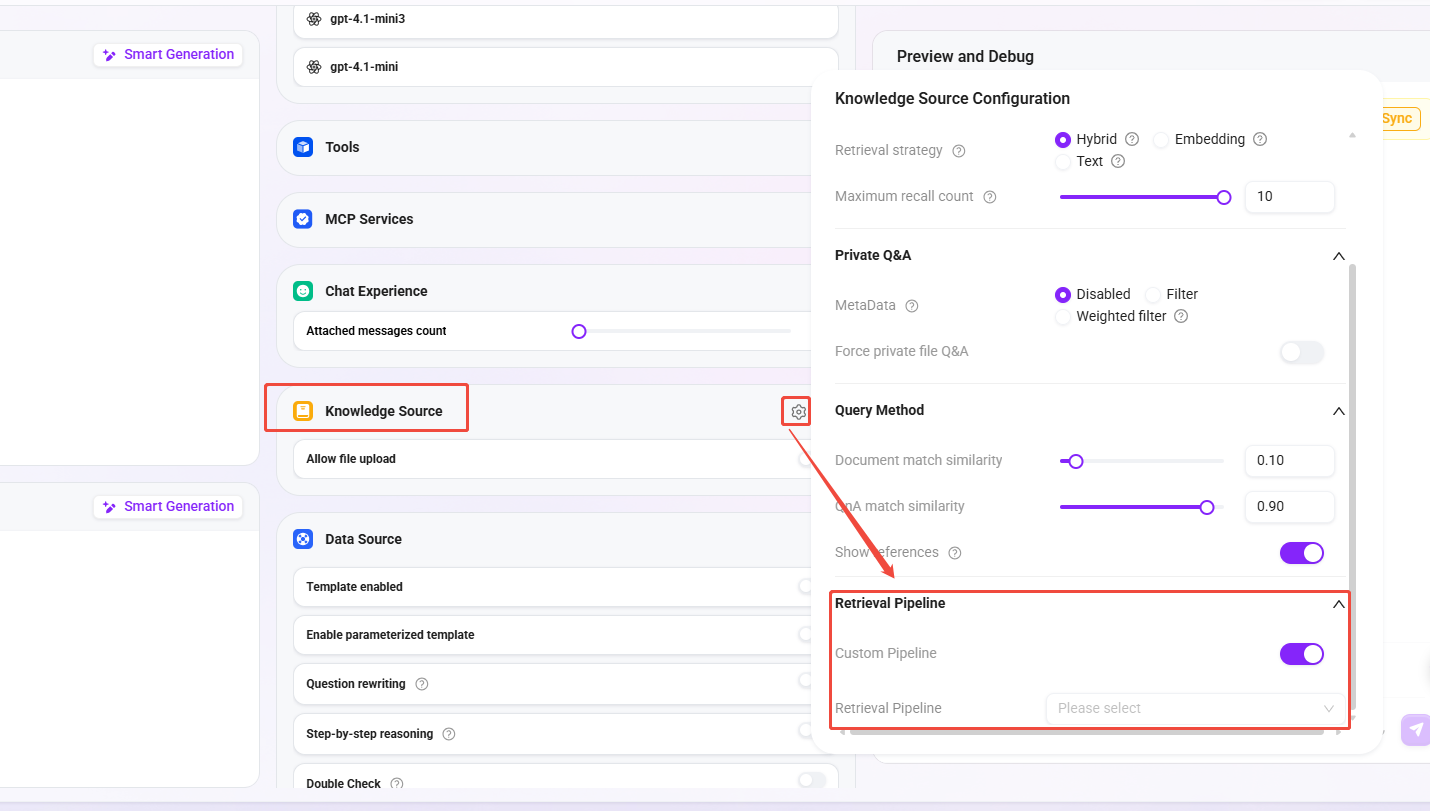
Basic Orchestration
Triggered when executing the retrieval tool. The corresponding switch must be enabled in the Agent configuration.
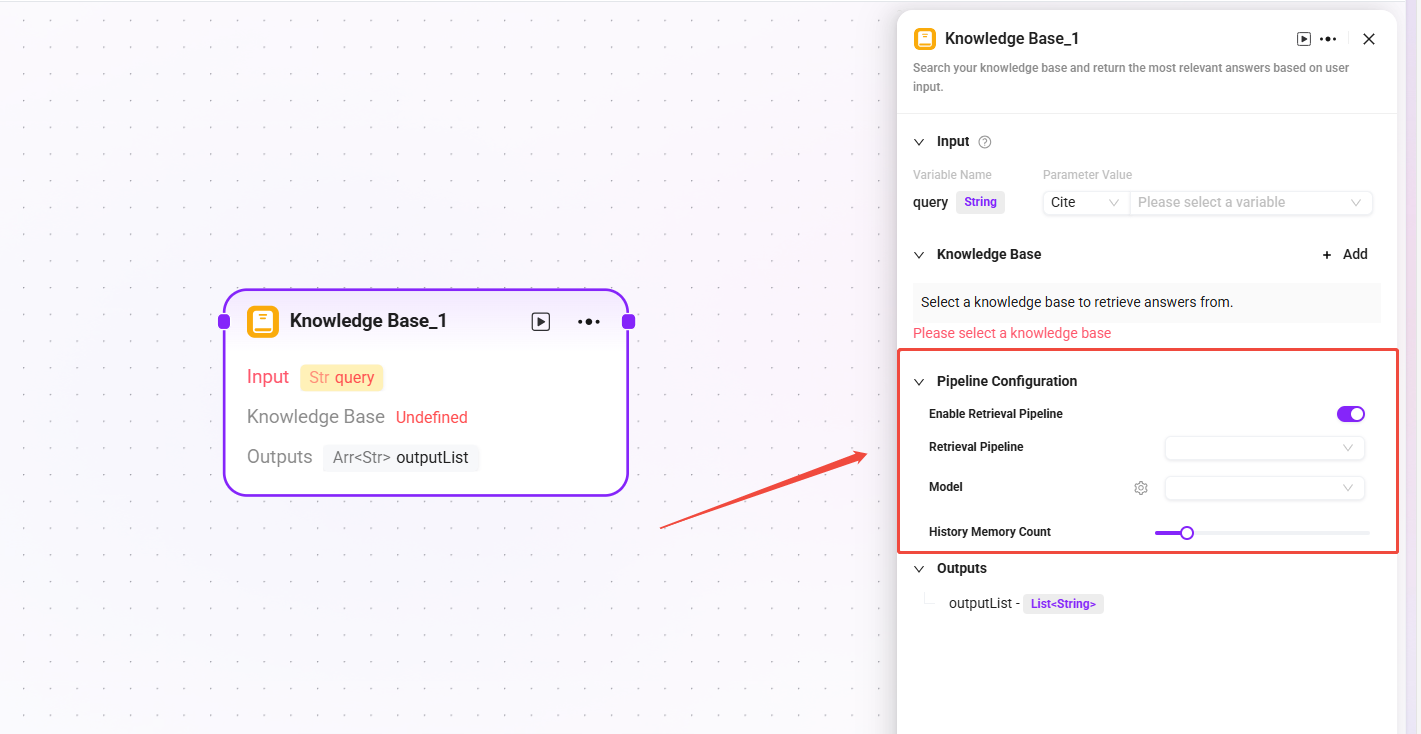
Advanced Orchestration
Triggered when execution reaches the corresponding retrieval node. The corresponding switch must be enabled in the knowledge base node configuration.
Creation and Configuration
Create a Retrieval Pipeline
If the built-in Pipeline is not used, users can also create a custom Retrieval Pipeline from scratch by following these steps.
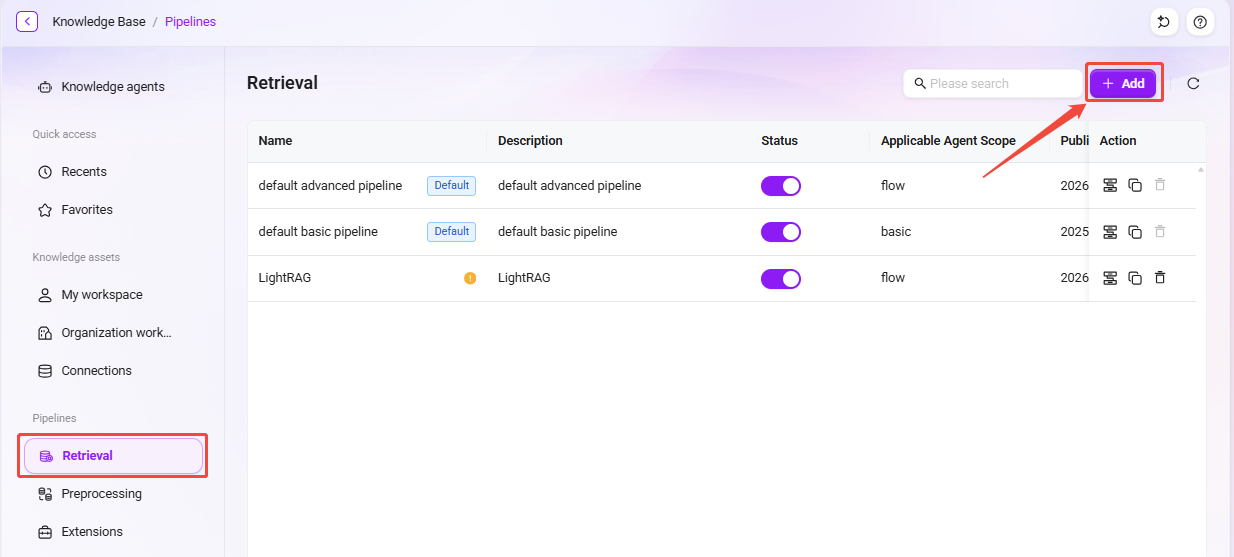
- Click the "New" button in the upper-right corner of the Retrieval page to enter the creation page.
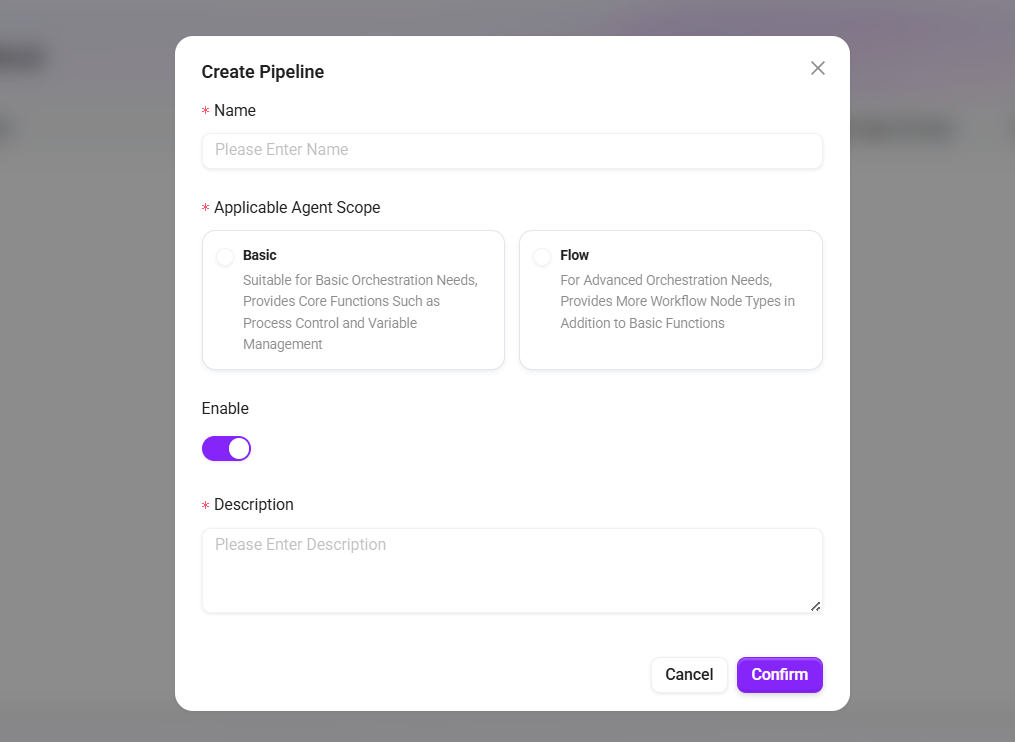
- Fill in the basic information:
- Name: The name of the retrieval.
- Applicable Agent Scope:
- Basic Orchestration: Suitable for basic orchestration needs, providing core capabilities such as process control and variable management.
- Advanced Orchestration: Suitable for advanced orchestration needs, providing more process node types in addition to basic capabilities.
- Enable: Controls whether the retrieval takes effect.
- Description: Supplementary notes on applicable scenarios or configuration points.
- Click "Save" to complete creation.
Configure a Retrieval Pipeline
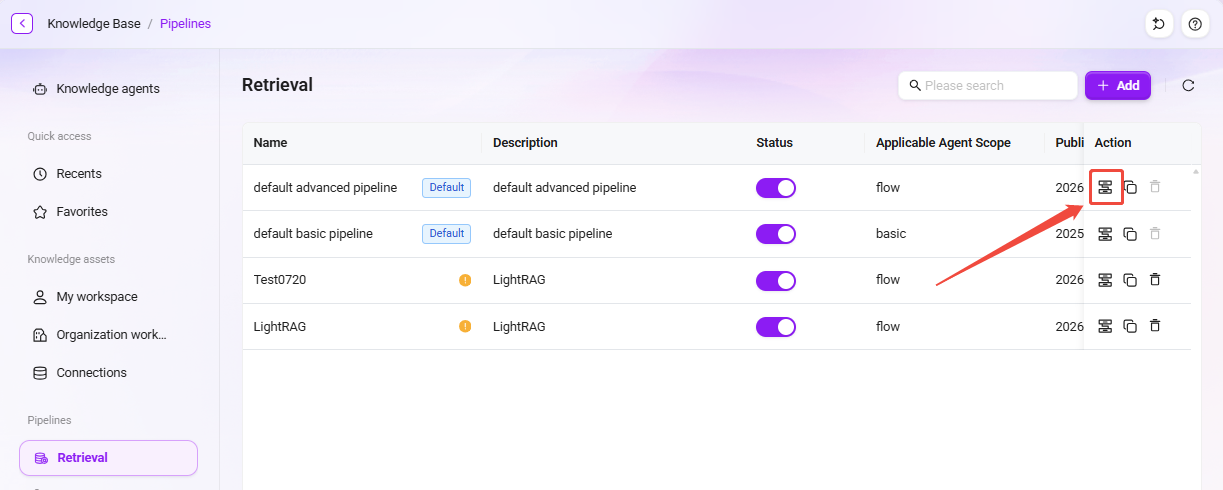
After creation is complete, click the “ ” edit icon of the Retrieval Pipeline to enter the configuration interface. Users can add nodes from the node library as needed and combine them through connections to build a custom retrieval workflow.
Detailed Node Types
The node library provides a rich set of functional nodes for building each processing stage in the retrieval workflow.
Tip: For more detailed descriptions of nodes, click the “
” in the upper-right corner of any node’s configuration page to view the documentation.
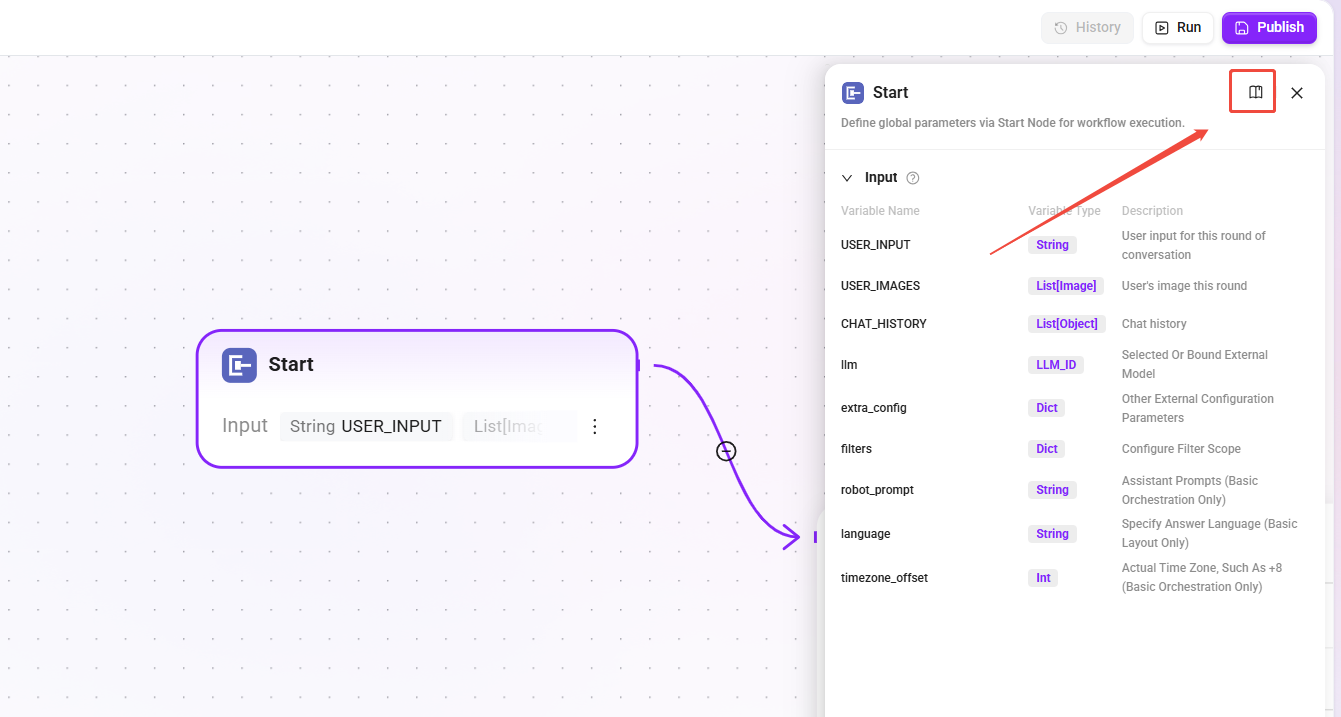
Start
- Function: The entry node of the RAG Pipeline, responsible for passing user input and related configuration attributes.
- Type differences:
- Basic Orchestration: Includes additional parameters (
robot_prompt,language,timezone_offset). - Advanced Orchestration: Standard parameter set.
- Basic Orchestration: Includes additional parameters (
- Purpose: Serves as the entry point for the Pipeline to inherit Agent configuration.
Retrieval
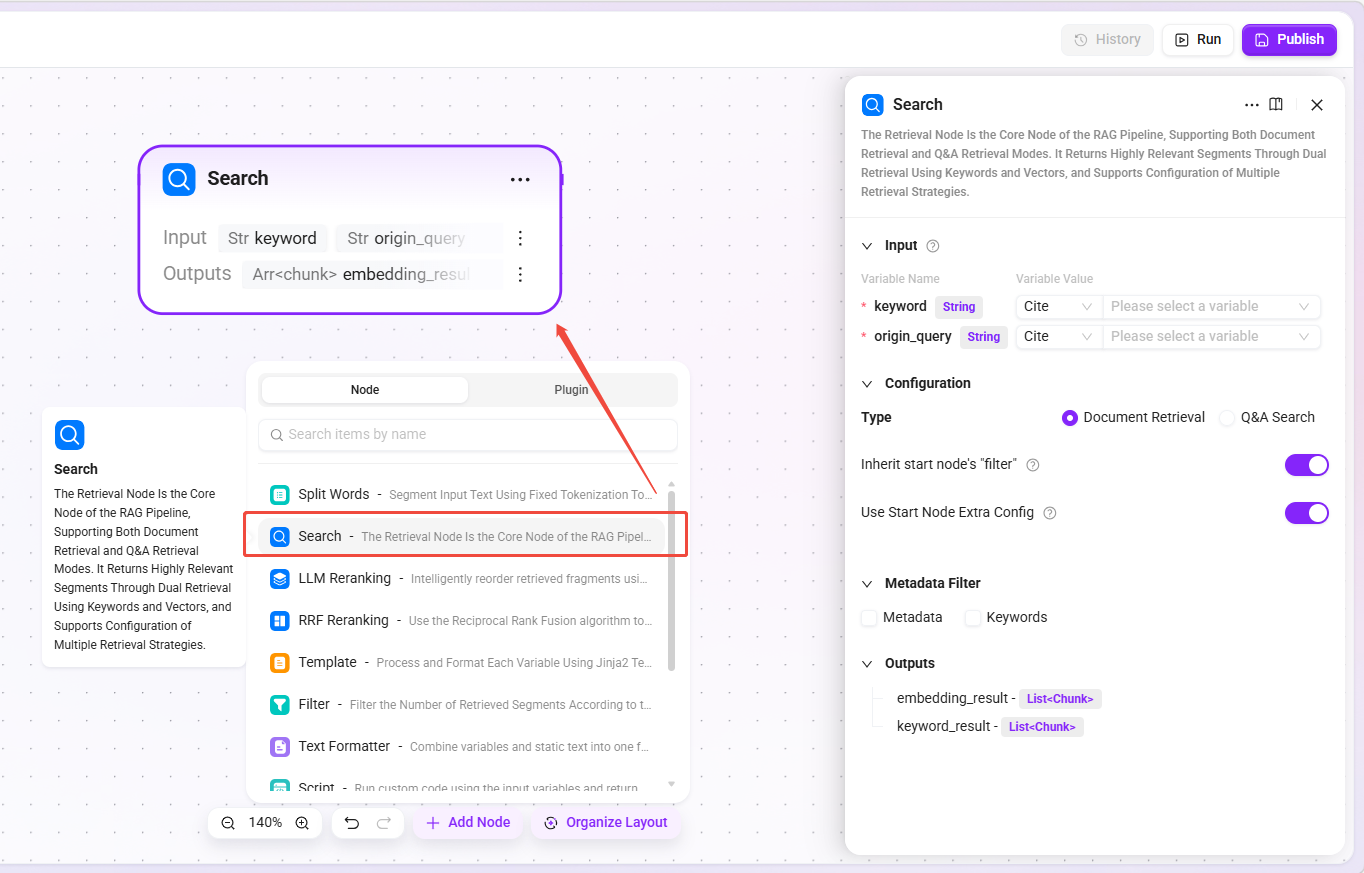
- Function: The core retrieval node, supporting two modes: Document Retrieval and Q&A Retrieval, returning highly similar chunks through dual-path keyword and vector retrieval.
- Retrieval types:
- Document Retrieval: User-uploaded document space.
- Q&A Retrieval: Maintained question-answer pairs.
- Applicable scenarios: Knowledge base Q&A, document content search, FAQ matching.
Filter Node
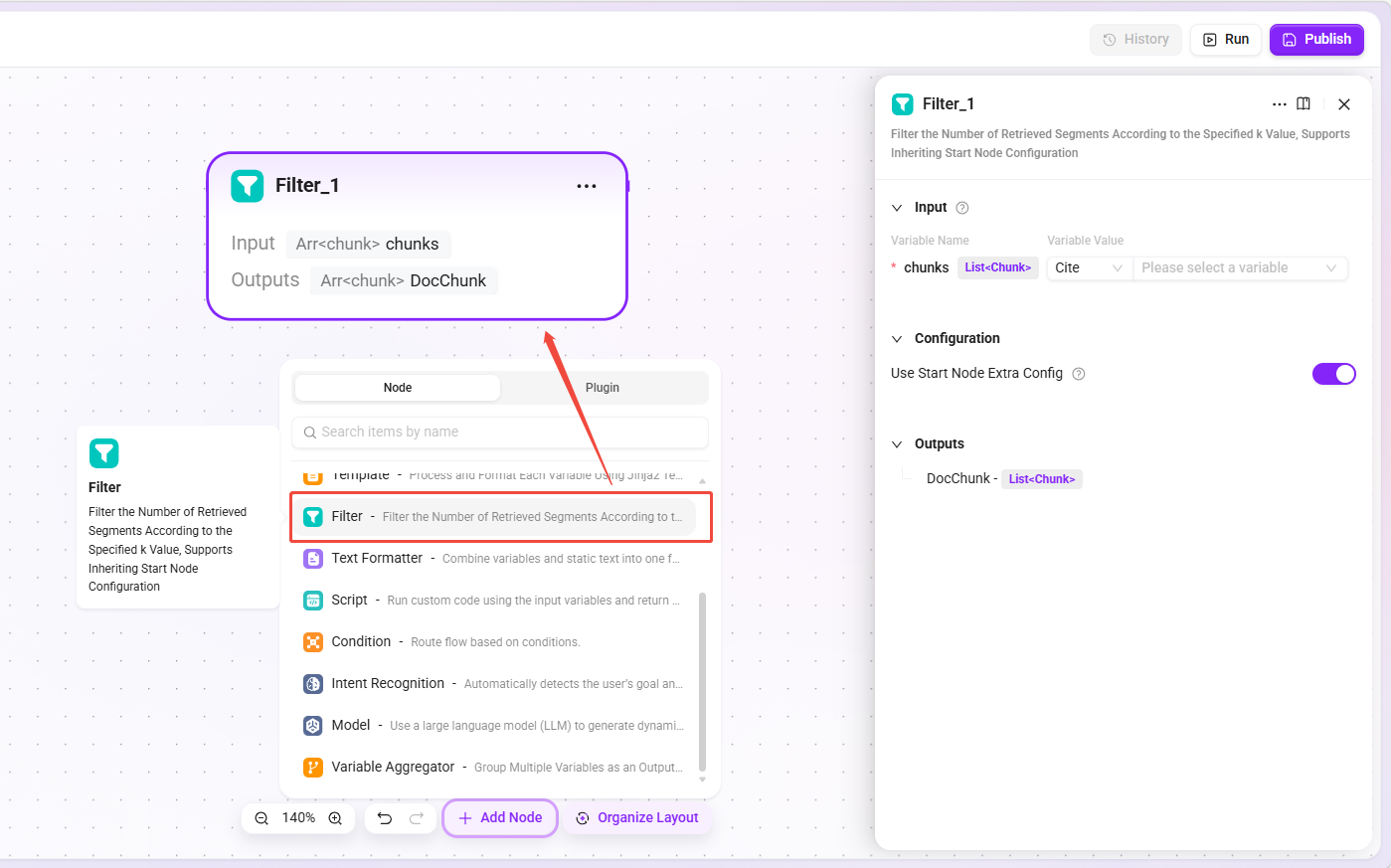
- Function: Filters the number of chunks returned by retrieval according to the specified
kvalue, controlling the number of retrieval results. - Inherited configuration: If inheriting the start node is selected, Basic Orchestration inherits the "Maximum Recall Count" from the Agent retrieval strategy; Advanced Orchestration inherits "Top K" from the retrieval node.
- Applicable scenarios: Preventing too many irrelevant chunks from interfering with generation results while ensuring sufficient relevant information.
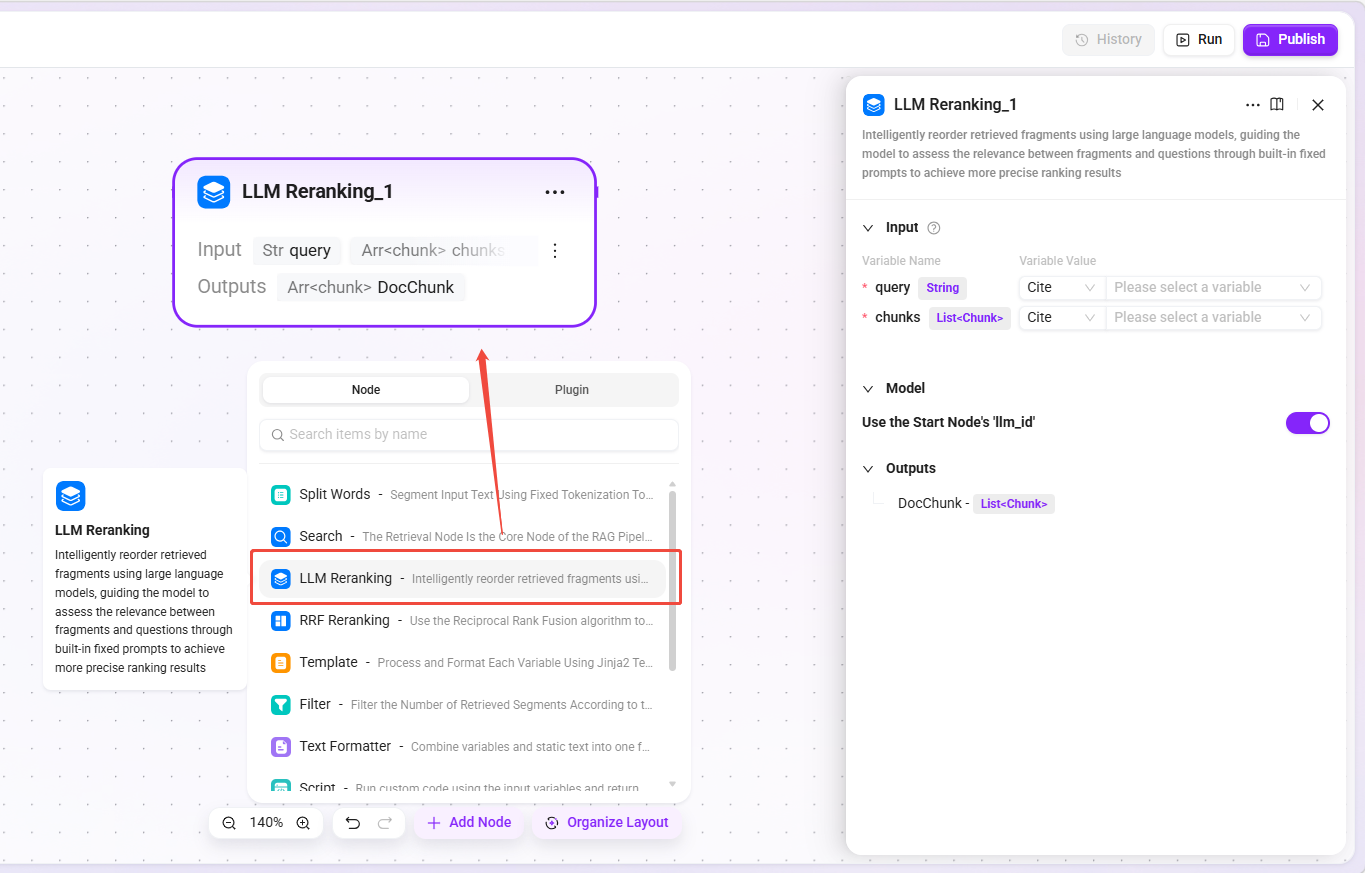
LLM Rerank Node
- Function: Uses a large language model to intelligently rerank retrieval chunks, evaluating the relevance between chunks and the question through built-in fixed prompts.
- Model selection: Can inherit the model configuration of the start node or specify a model separately.
- Applicable scenarios: Q&A scenarios requiring high-precision ranking, fine reranking after merging multi-source retrieval results.
- Recommendation: First perform coarse ranking by other means, then use LLM for fine reranking to control costs.
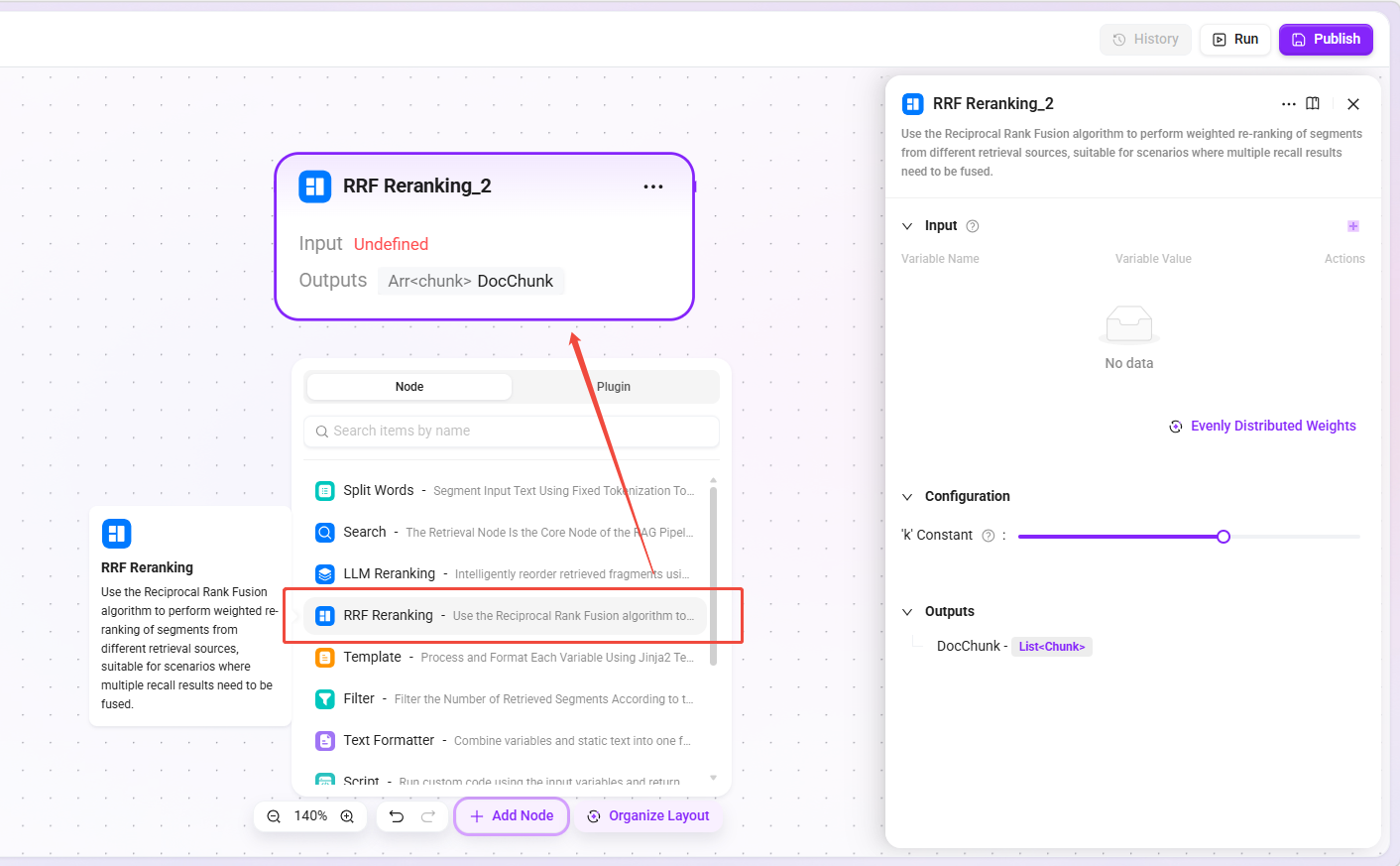
RRF Rerank Node
- Function: Uses the Reciprocal Rank Fusion algorithm to perform weighted reranking on chunks from different retrieval sources.
- Input: Chunk lists from multiple sources and their corresponding weights.
- Applicable scenarios: Fusion of vector retrieval and keyword retrieval results, fusion of multi-knowledge-base retrieval results, fusion of results from different retrieval strategies.
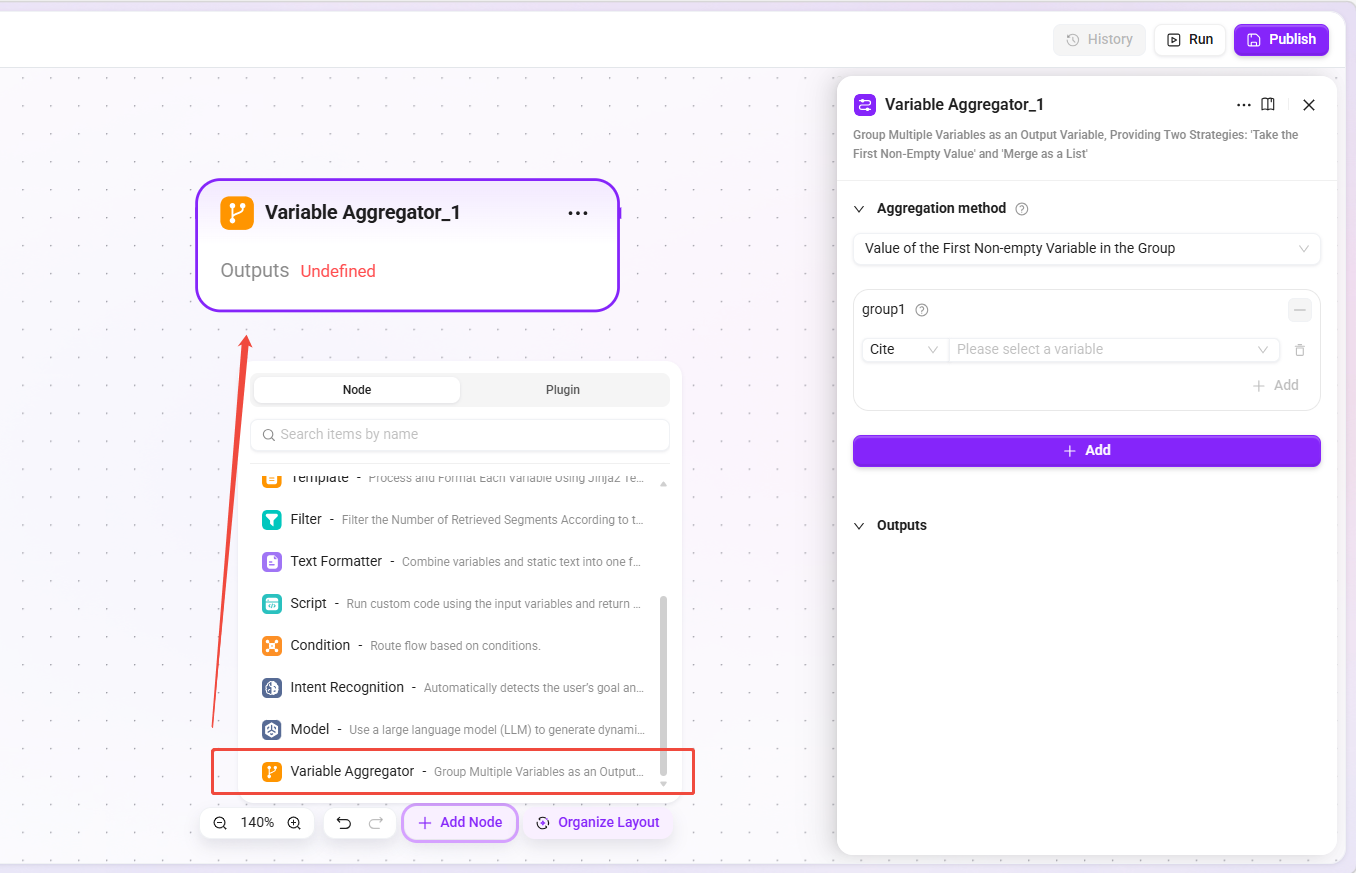
Variable Aggregator
- Function: Groups and aggregates multiple variables into output variables, providing two strategies: "Take the first non-empty value" and "Merge into a list".
- Applicable scenarios: Convergence of multi-path retrieval results, data merging after conditional branches, priority selection among alternatives.
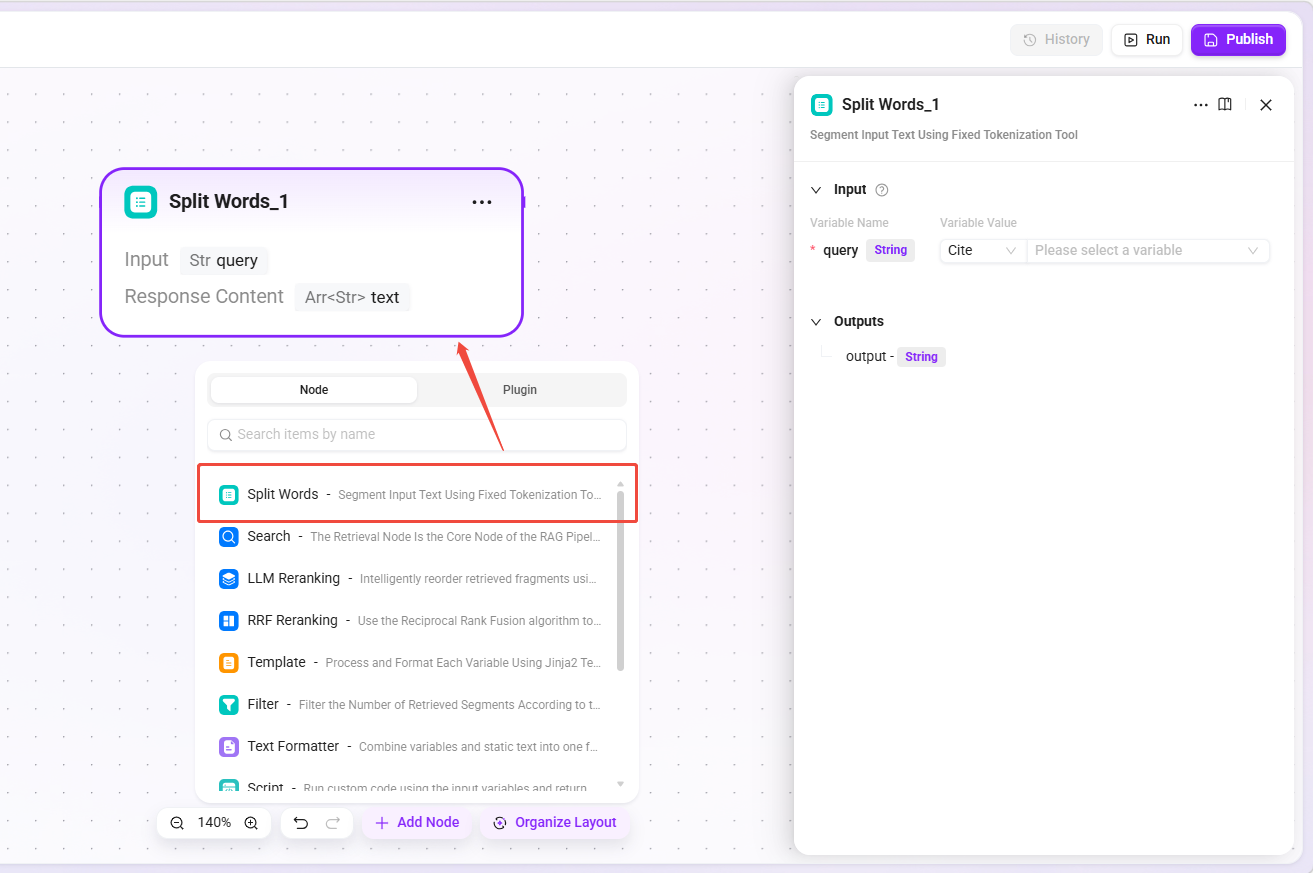
Tokenization Node
- Function: Tokenizes the input text using a fixed tokenization tool and outputs a keyword string separated by
|. - Applicable scenarios: Providing
keywordinput for retrieval nodes, extracting keywords from user questions.
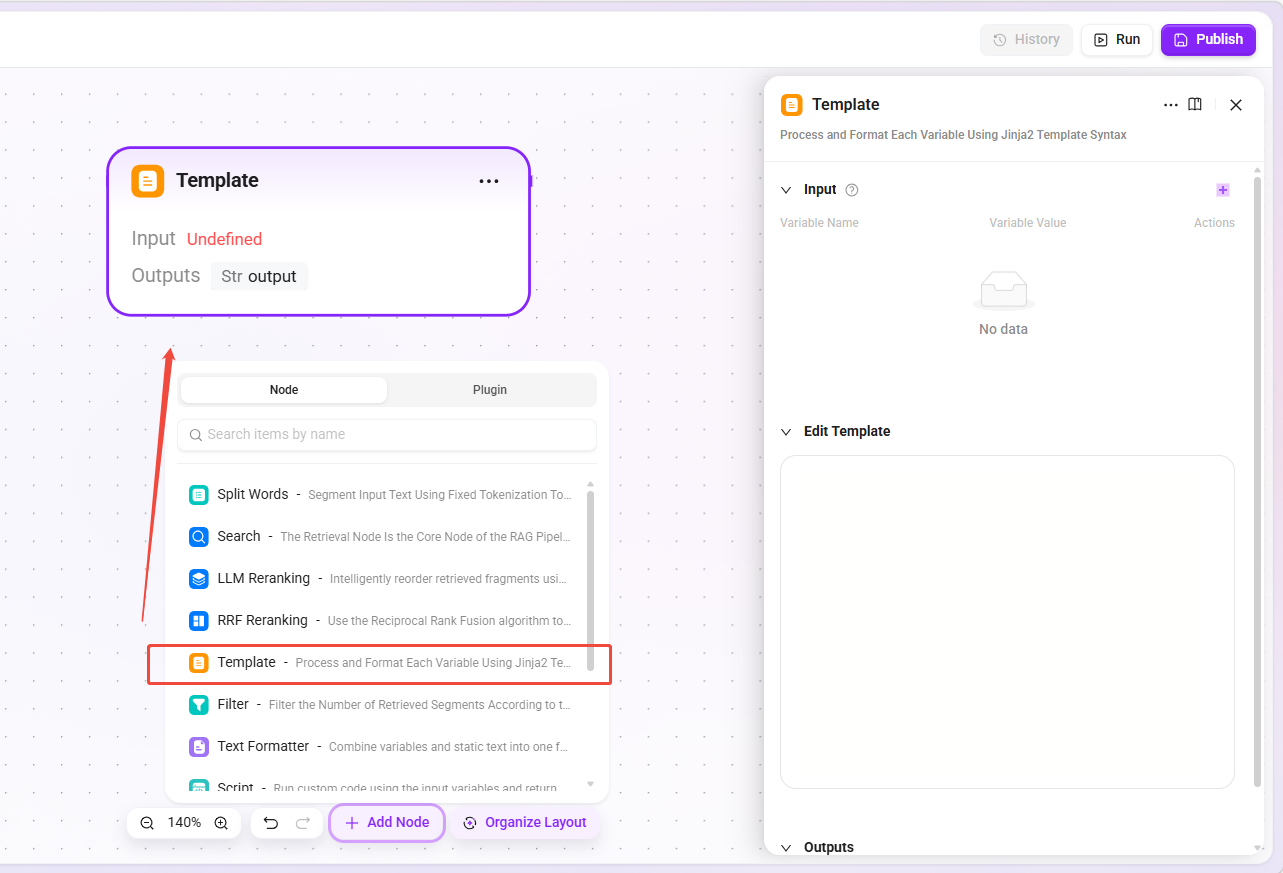
Template Node
- Function: Uses Jinja2 template syntax to format variables, supporting string concatenation, conditional judgment, loops, and built-in timezone handling methods.
- Applicable scenarios: Building prompts sent to the model, formatting retrieval results, dynamically generating reply content.
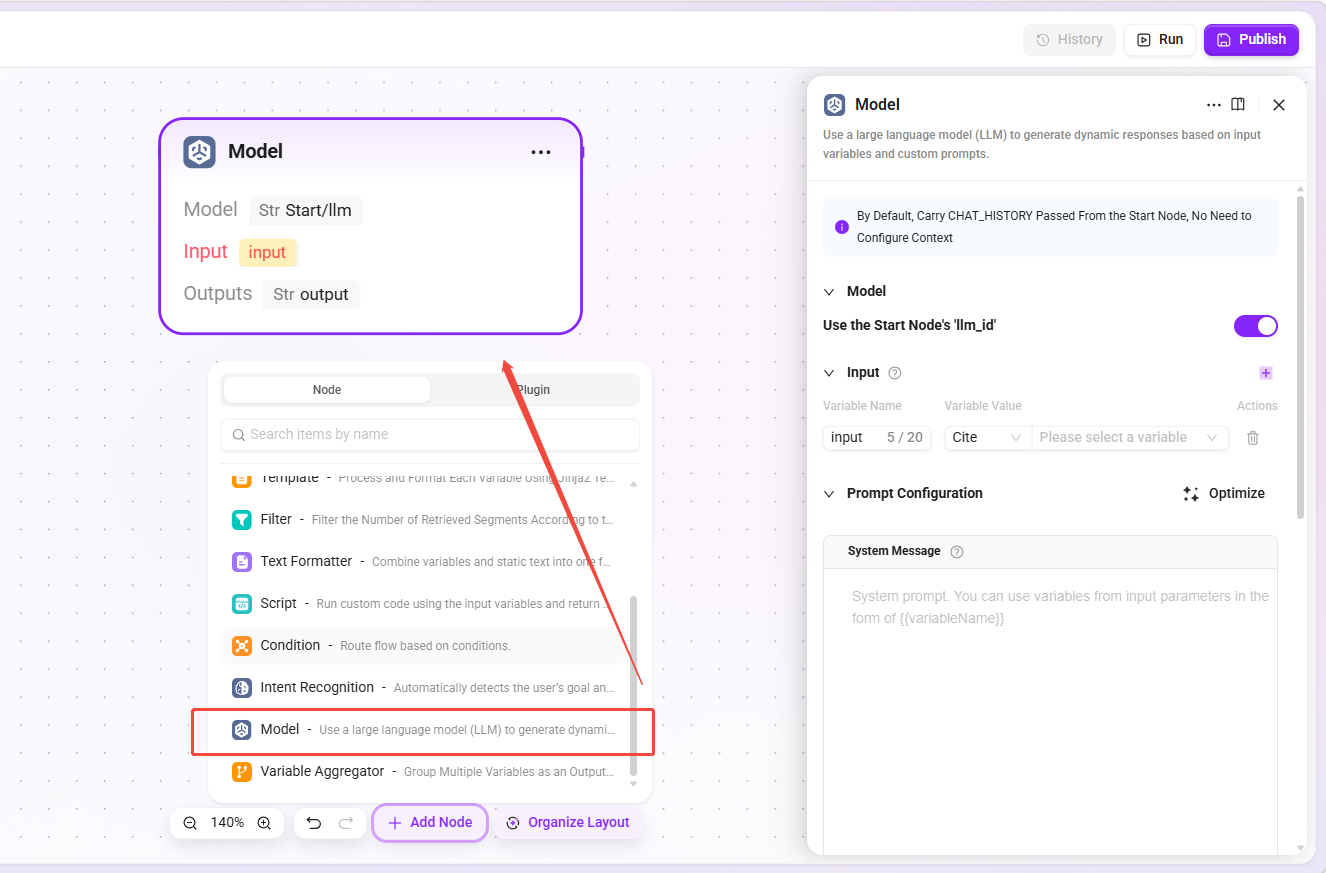
Model Node (RAG LLM Node)
- Function: Sends messages to a large language model and obtains responses, supporting inheritance of the start node’s model configuration or specifying a model separately.
- Difference from the model node in Advanced Orchestration: It can inherit the start node’s model configuration, ensuring that the model used inside the Pipeline is consistent with the user conversation; it can also be specified separately.
- Basic Orchestration special configuration:
Streaming Outputswitch. When enabled, model responses will be streamed in the conversation, improving the experience.
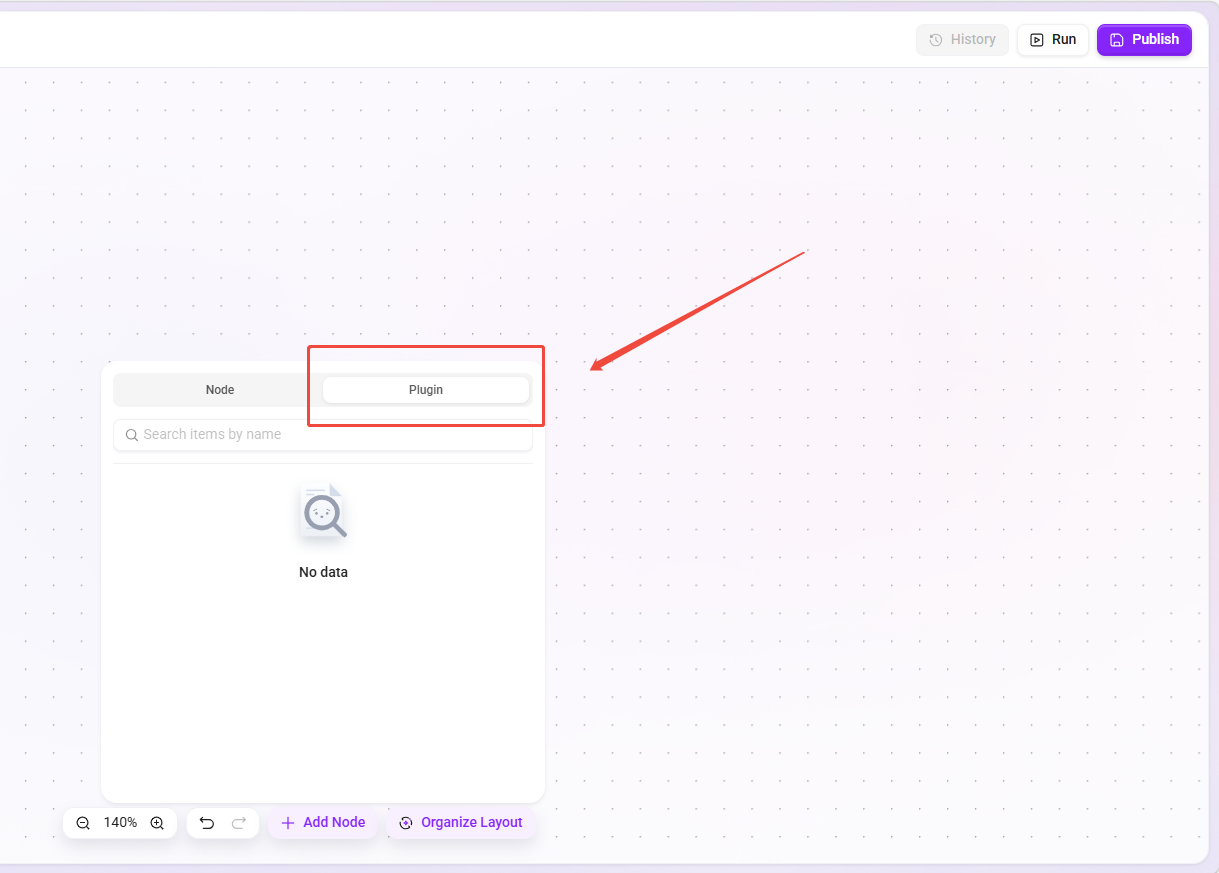
Plugin Node
- Function: Calls plugins already configured in the system, passes parameters from upstream nodes to the plugin for execution, and obtains the returned results.
- Applicable scenarios: Calling external APIs, executing custom business logic, data format conversion, calling third-party services.
Tip: For details, please refer to the relevant concepts section for plugins to understand how plugins are used.
End Node
- Function: The terminating node of the RAG Pipeline, collecting input parameters passed from upstream nodes and returning them as the final output.
- Applicable scenarios: Outputting processed chunk lists, returning model-generated answers (exclusive to Basic Orchestration).
Best Practice Recommendations
- Getting started for beginners: First use “default basic pipeline” or “default advanced pipeline” directly to understand their default behavior.
- Customize as needed: Copy the built-in Pipeline and modify retrieval strategies, filtering conditions, or question rewriting logic to meet specific business requirements.
- Test and validate: Test the modified Pipeline in an isolated environment, and bind it to the production Agent only after confirming the recall effect.
- Pay attention to inheritance: The Pipeline will inherit many attributes from the Agent, so when configuring the Agent, make sure these attributes meet expectations.
- Cost control: When using LLM reranking, first reduce the number of input chunks through filtering or coarse ranking to lower resource consumption.