Build a Knowledge Agent from Scratch
This case uses an AI technology company focused on large language model R&D as an example to demonstrate how to solve the problem of scattered internal enterprise knowledge and difficult retrieval by creating a centralized enterprise knowledge base and configuring a professional AI assistant. This system can provide accurate and consistent answers based on internal company documents (such as technical papers, API documentation, etc.), improving team collaboration efficiency.
Create the Enterprise Knowledge Space "AI Technology"
Create a unified classification container to centrally manage knowledge from different business domains, making it easier to set up independent knowledge bases and permissions by project or technical domain later.
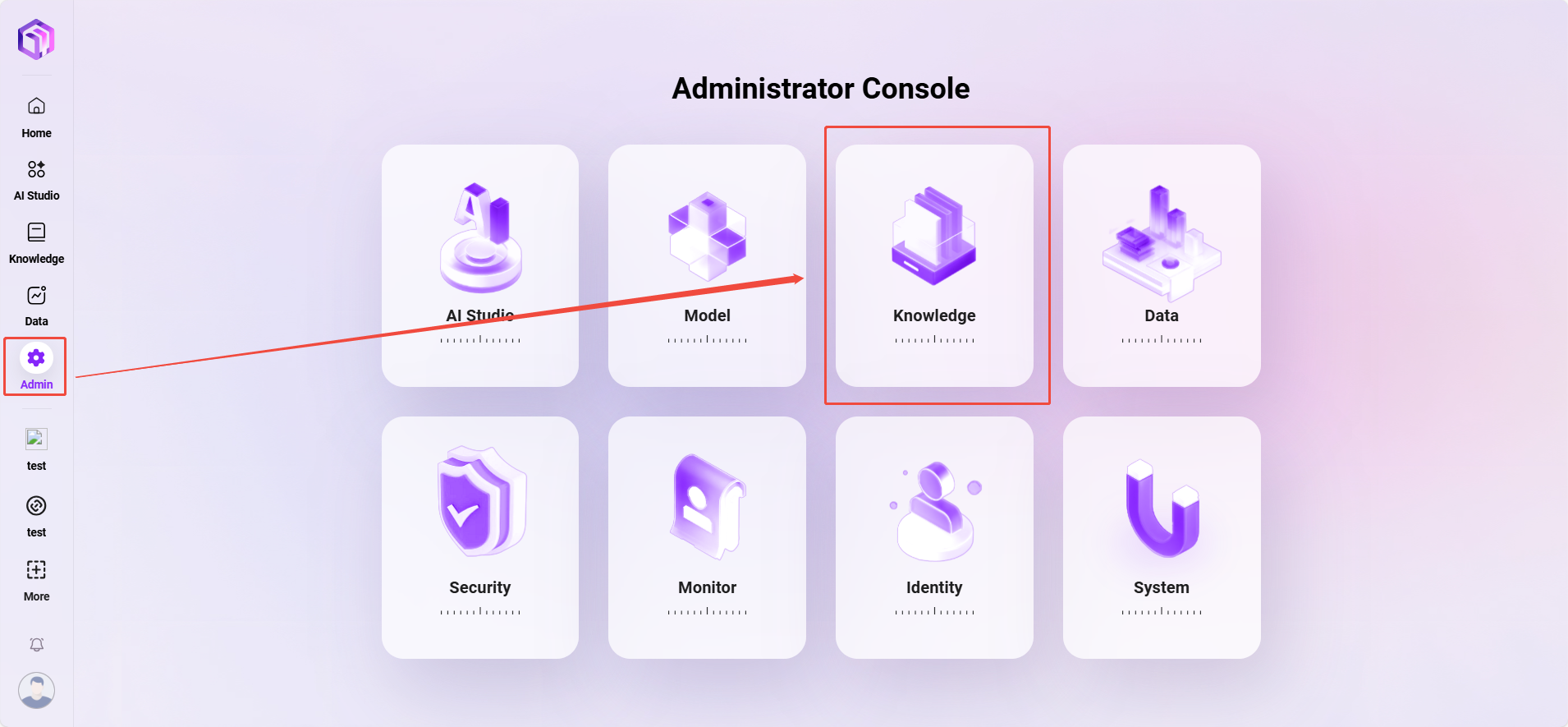
- Navigate to “Management -> Knowledge Management -> Enterprise Space”
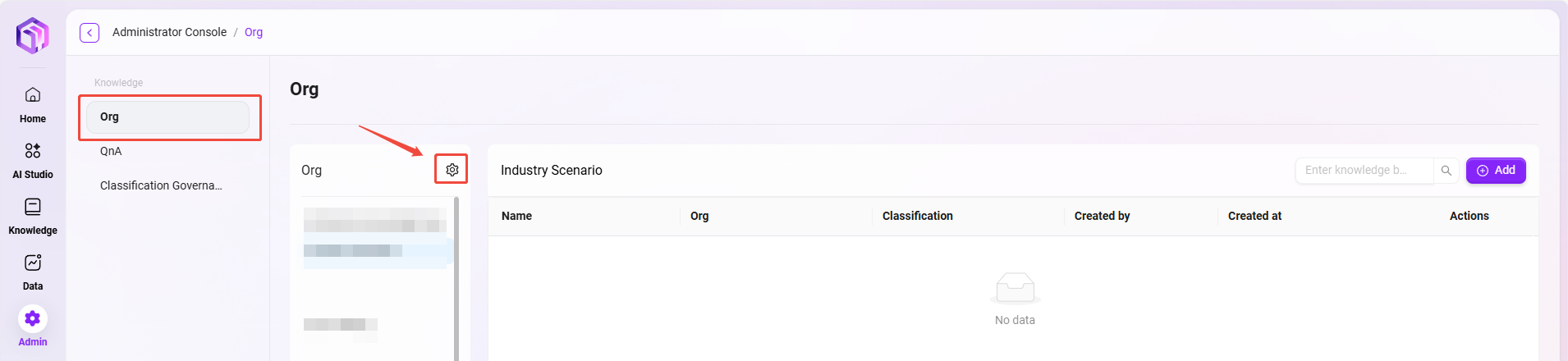
- Click the “⚙️” next to Enterprise Space to enter the enterprise space configuration page.
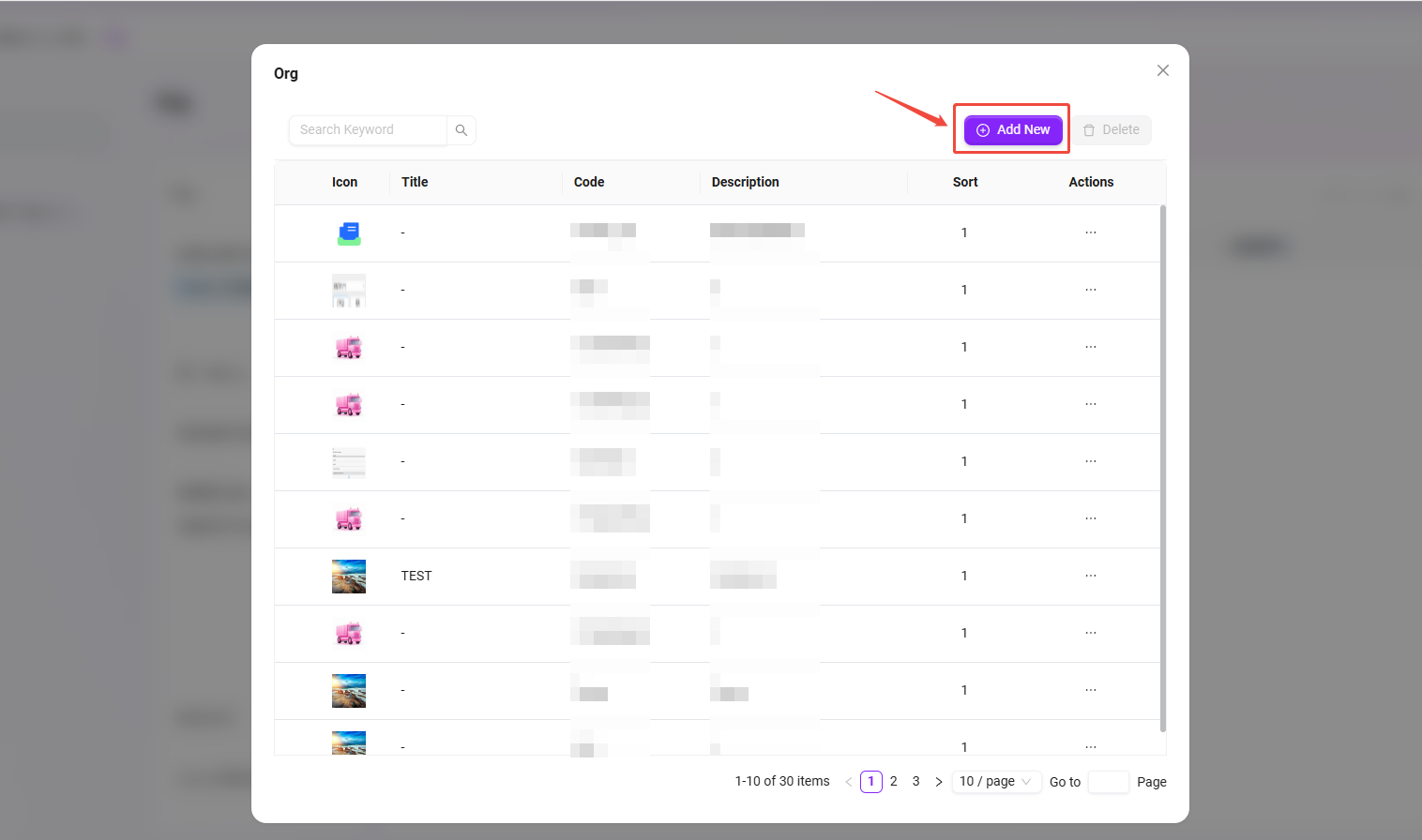
- Click “Add” on the right to enter the new enterprise space page.
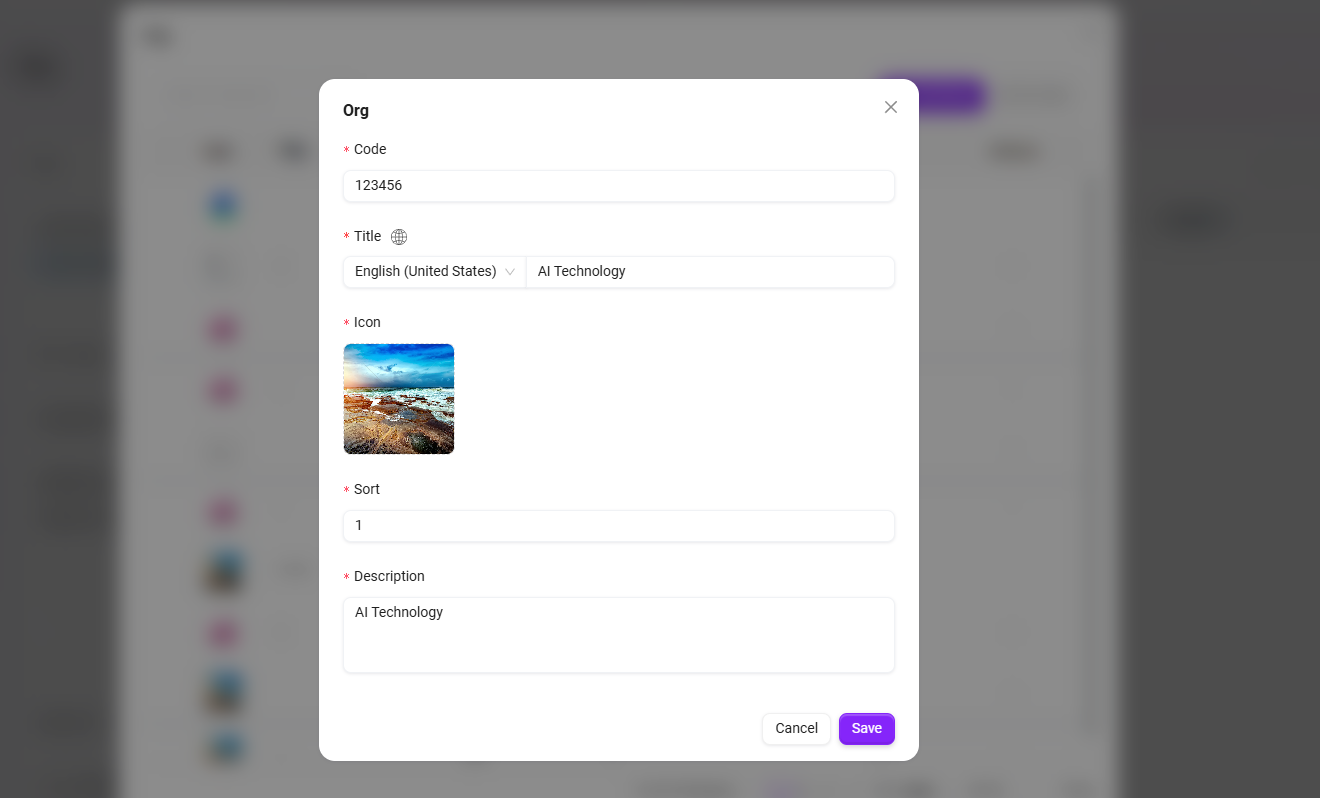
- Enter the following basic information
- Code: enter
123456. - Title: enter
AI Technology. - Icon: upload an image from your local device.
- Sort Order: the order of this space within enterprise spaces. In this example, set it to
1. - Description: for example,
AI Technology.
- Code: enter
- Click “Save” to successfully create the enterprise space.
Create Enterprise Knowledge Bases
Create subdivided knowledge bases within the knowledge space by technical domain to achieve precise document classification and permission control.
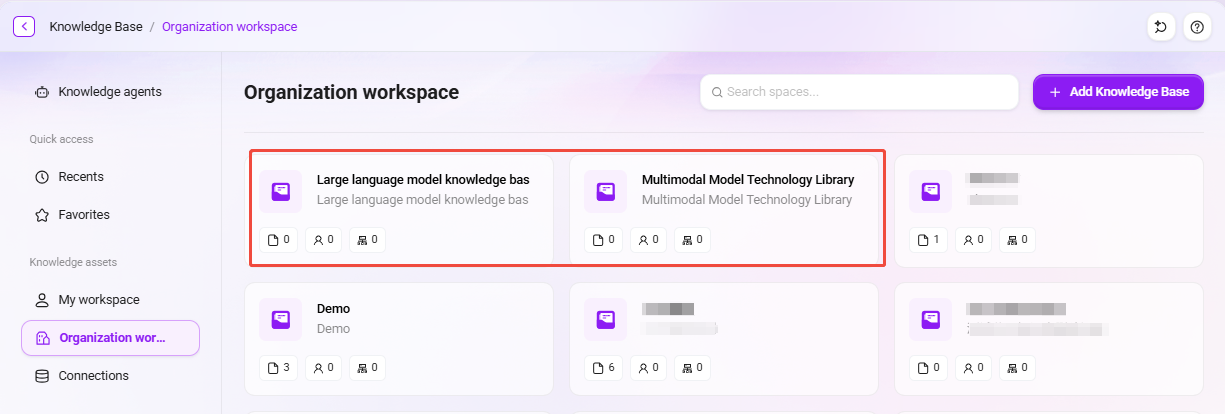
We will create two knowledge bases in the “AI Technology” enterprise space: Multimodal Model Technology Library and Large language model knowledge bas, to facilitate document management by technical domain.
Creation Steps
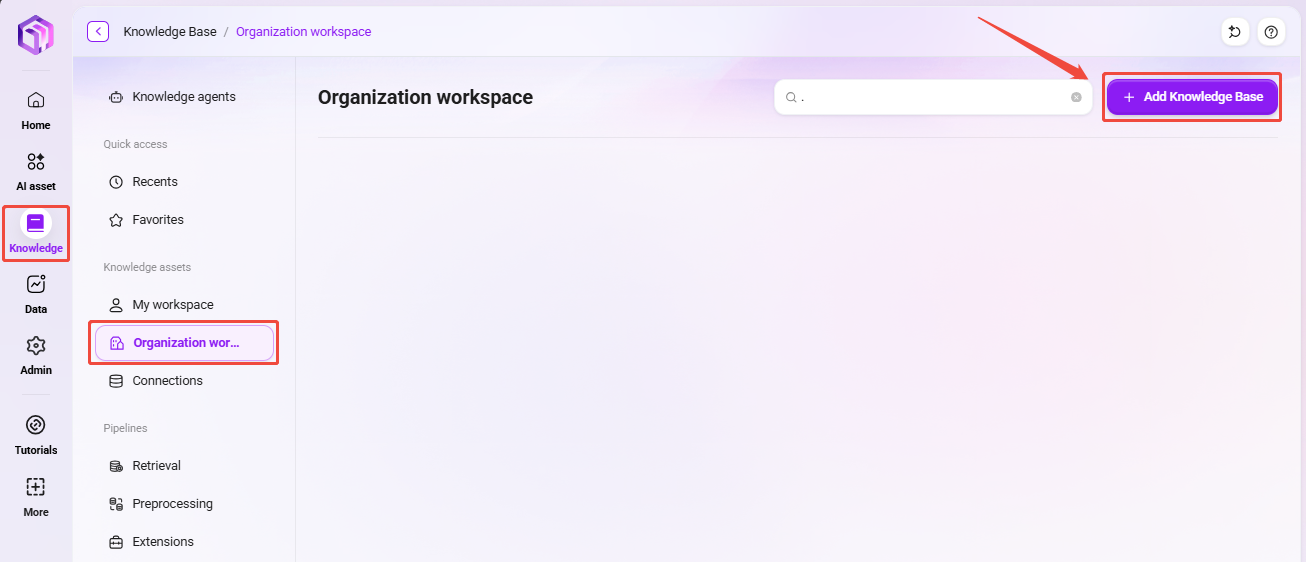
- Click the newly created enterprise space “AI Technology”, then click “Add” in the upper-right corner;
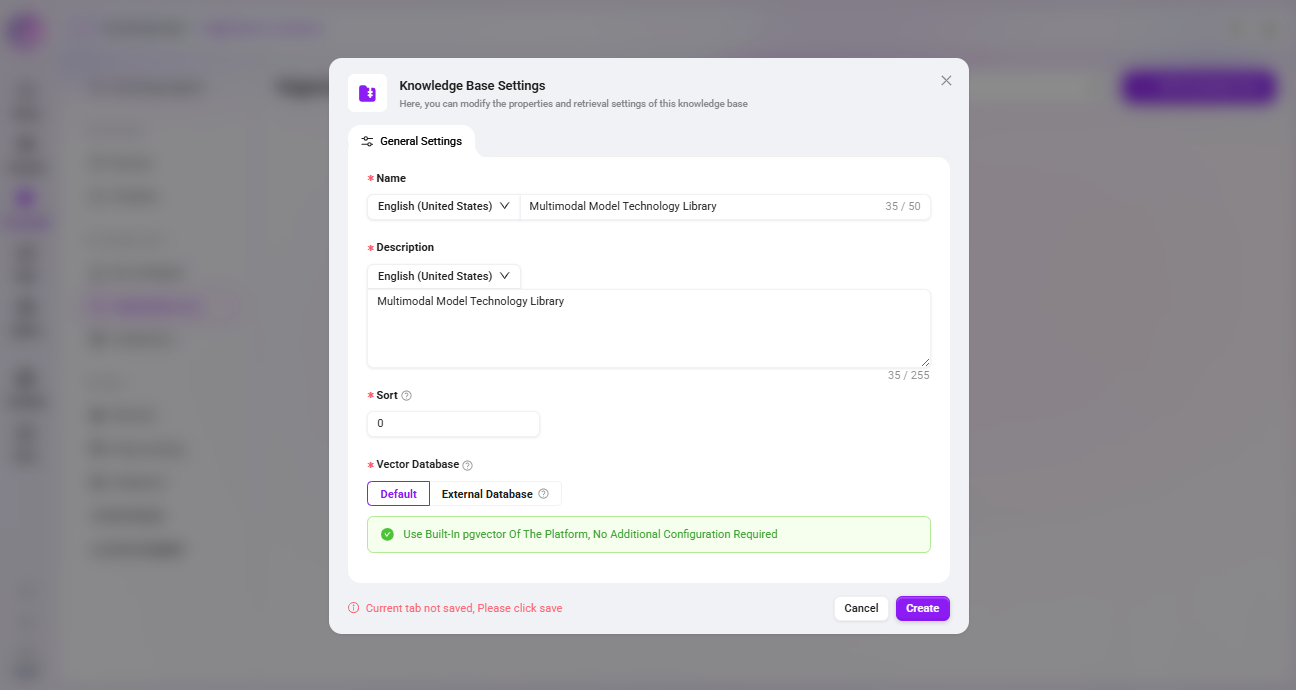
- Enter general information:
- Name: enter
Multimodal Model Technology Library - Type: automatically populated as
AI Technology - Classification Level: select
internal - Description: for example,
Multimodal Model Technology Library - Sort Order:
1. - Description: for example,
Multimodal Model Technology Library.
- Name: enter
- Click “Save” to successfully add the “Multimodal Model Technology Library” knowledge base to the “AI Technology” enterprise space.
- Similarly, create another knowledge base named
Large language model knowledge baswith sort order2.
Knowledge Base Space Configuration
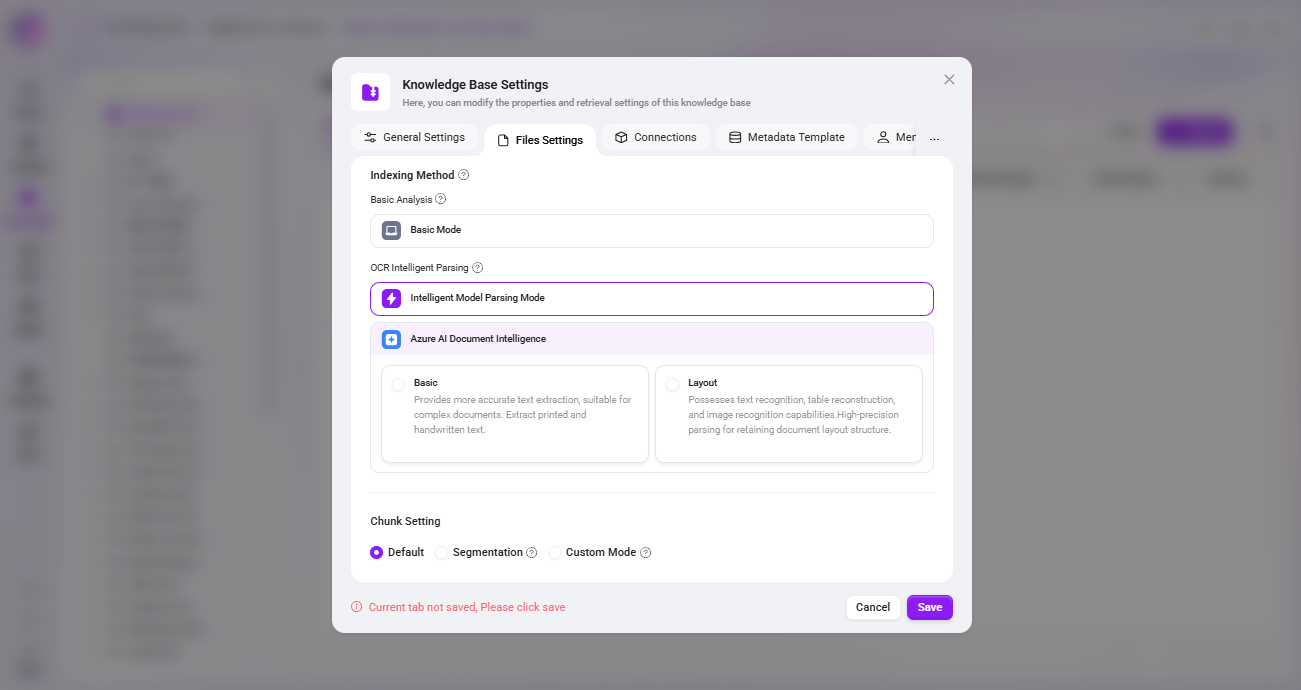
File Settings
Indexing Method:
- Basic Parsing: suitable for general text recognition. Choose basic parsing when the file does not contain tables or images.
- OCR Intelligent Parsing:
- Intelligent Model Parsing Mode: calls the connected model to generate the document. Please note that under complex conditions such as low resolution, generation quality may be affected. It can help LLM generate high-quality answers and is suitable for documents containing a large number of tables.
- Azure AI Document Intelligence: provides more accurate text extraction and is suitable for complex documents, including extracting printed and handwritten text.
- ✅ Recommended in this example: the “Intelligent Model Parsing Mode” of OCR Intelligent Parsing. This mode can extract structured information from documents more accurately, ensuring the completeness and accuracy of subsequent knowledge retrieval.
Segmentation Mode:
- Segmentation modes include: default segmentation, fine-grained mode, and custom mode.
- ✅ Recommended in this example: Default Segmentation, which ensures the coherence of related concepts and context and improves the accuracy of subsequent retrieval.
Retrieval Settings:
- File Preview: controls whether files in the knowledge base (documents, images, videos, audio) support online preview.
- File Indexing: sets whether various resources in the knowledge base (documents, images, videos, audio) are included in the global search index. When disabled, the corresponding resources cannot be retrieved by keywords.
- ✅ Recommended in this example: Enable all, ensuring that all technical documents, code specifications, and research reports can be full-text searched and previewed online, making it easier for R&D personnel to quickly find and reference them.
File Summary Generation:
- If users often ask questions such as “Help me summarize document XXX” or “What does file XXX describe”, this feature needs to be enabled.
- ✅ Recommended in this example: Enabled by default, automatically generating summaries for technical papers, API documentation, etc., to better support document summary-related questions.
Member Permission Configuration
Assign corresponding document access permissions according to different roles to ensure the security of technical materials.
- Roles and requirements:
- Algorithm Engineer: participates in both the "Multimodal Model" and "Large Language Model" project groups and needs access to all technical documents.
- Product Manager: is only responsible for the "Large Language Model" product line and only needs to view related product documents and API documentation.
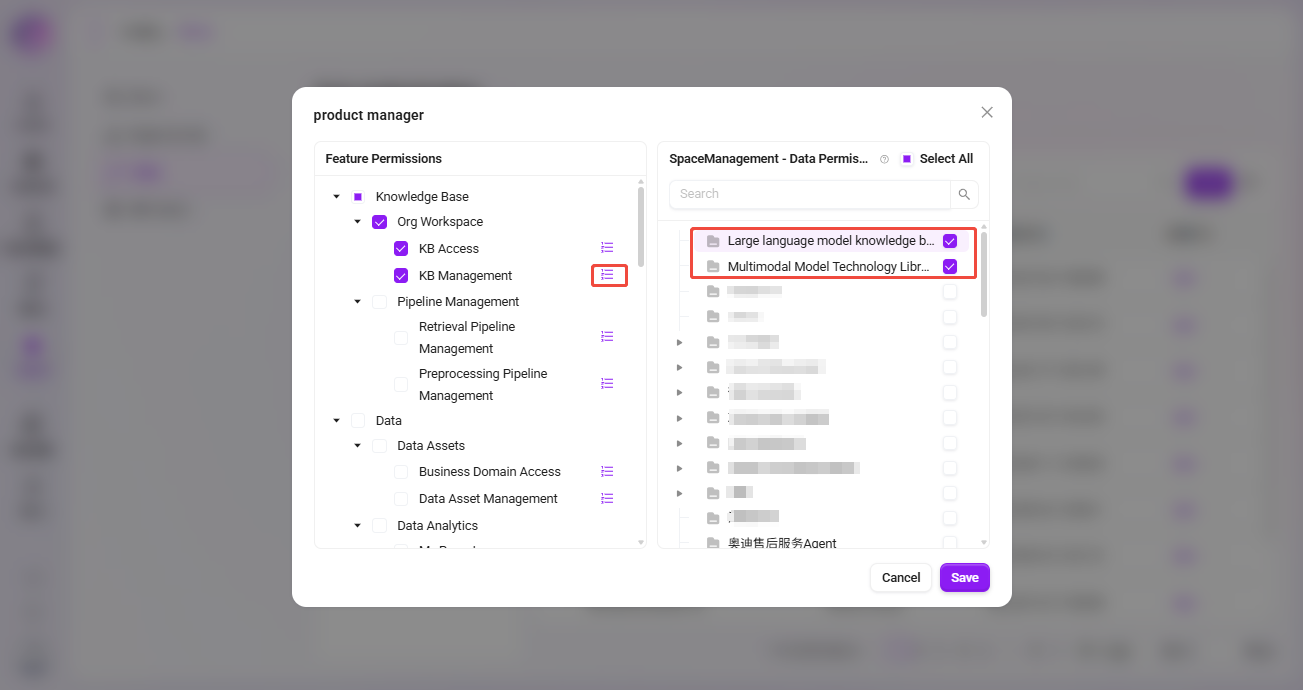
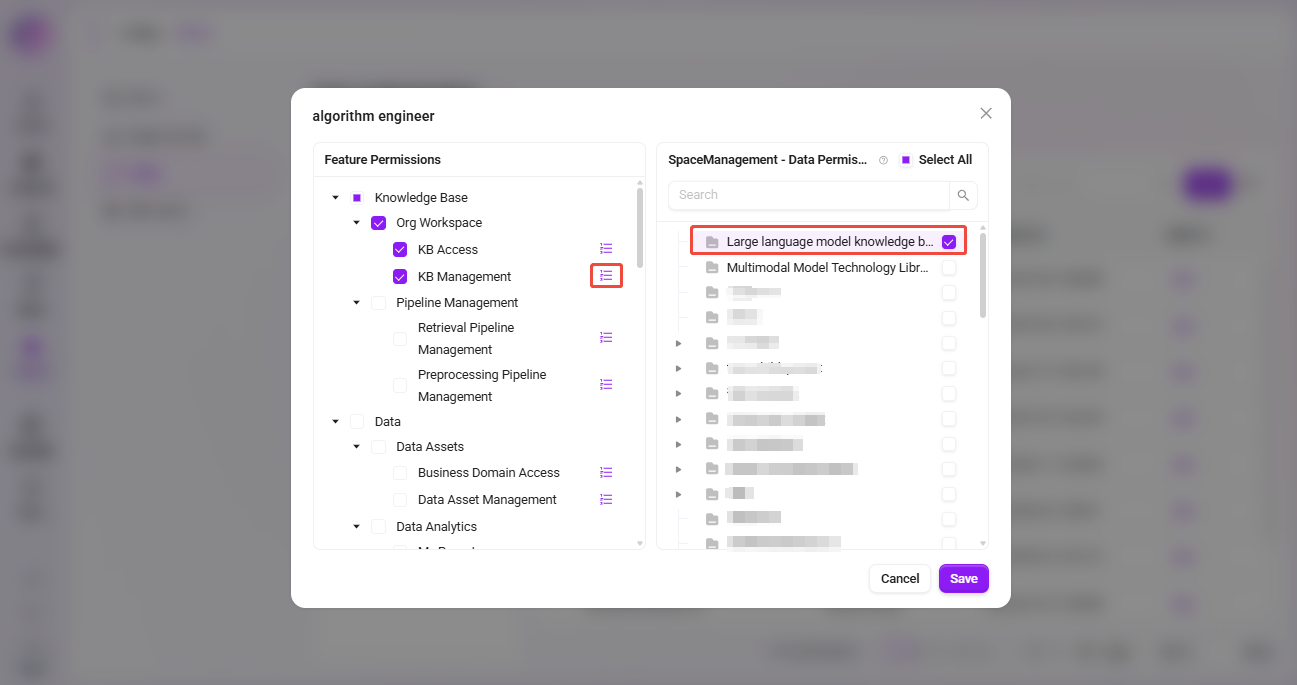
- Through permission configuration, grant the Algorithm Engineer full access to both knowledge bases, while the Product Manager can only access the "Large Language Model Knowledge Base".
The specific steps for member permission configuration are as follows:
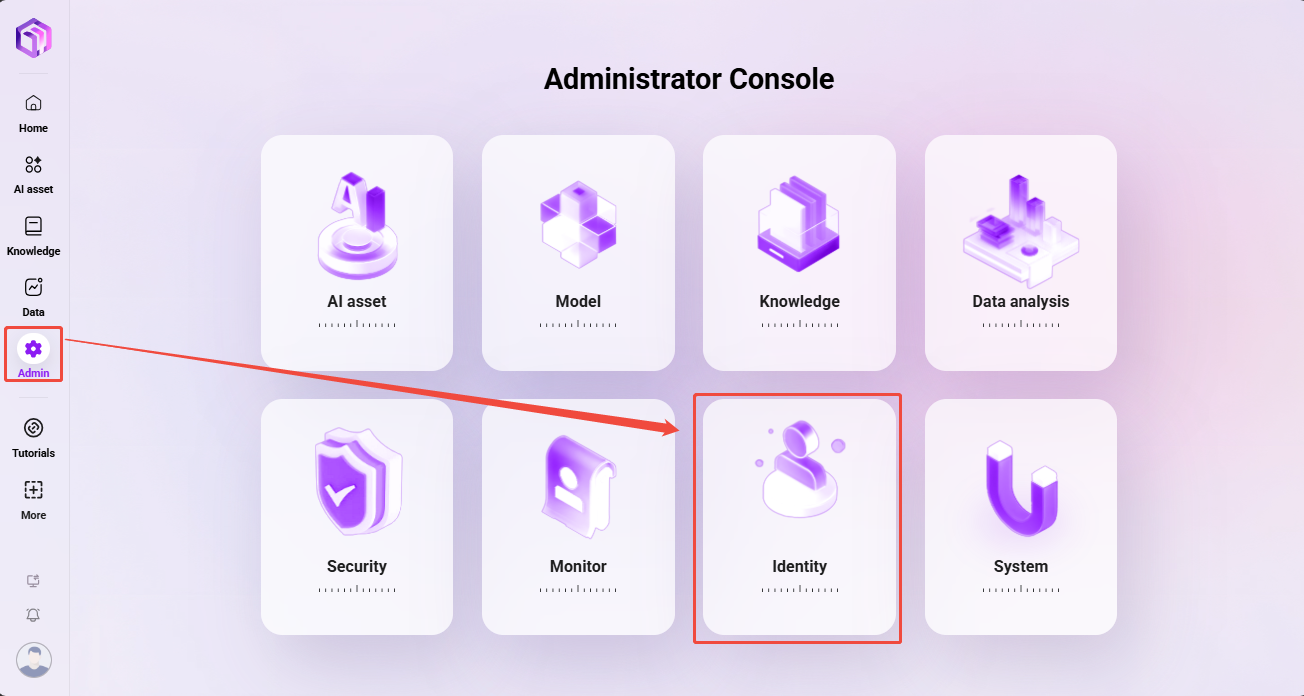
- Navigate to “Management -> Permissions -> Role Management”
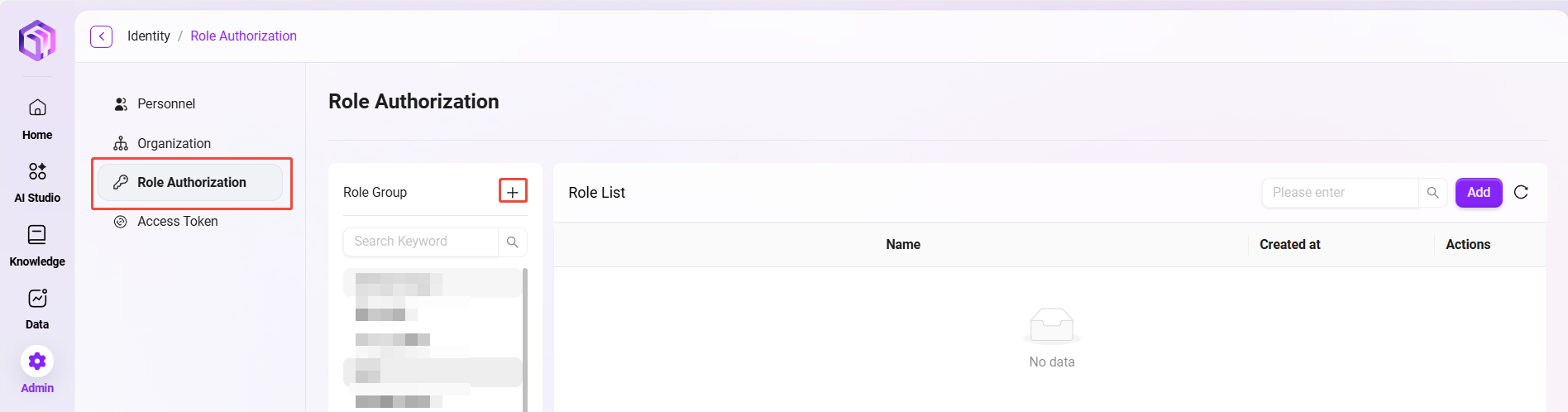
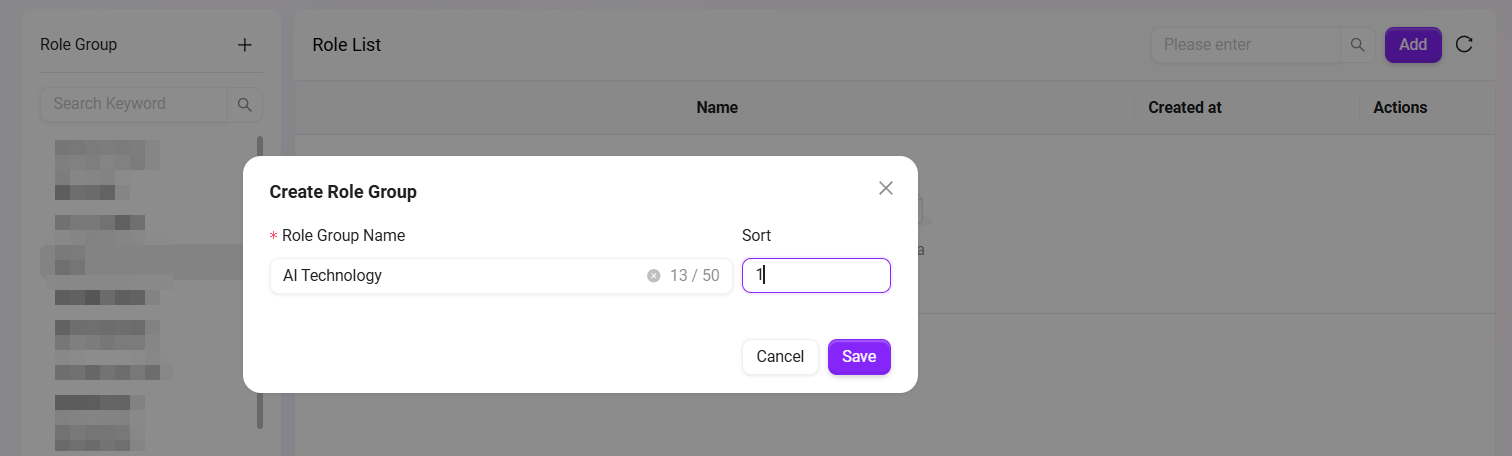
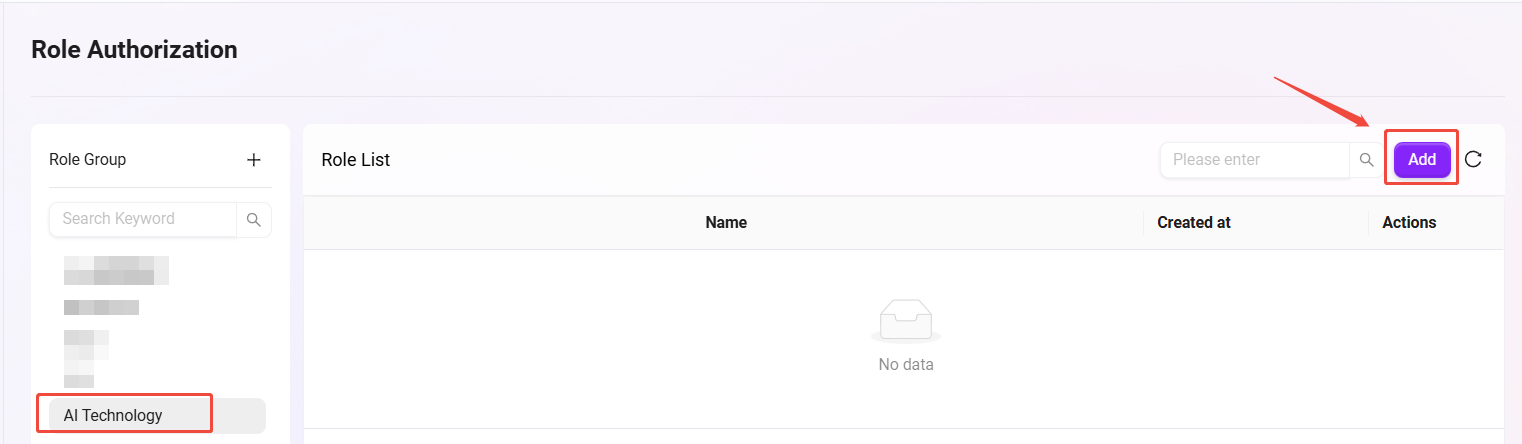
- Click the “+” next to the role group to create a role group. Set the name to
AI Technologyand the sort order to1. - In the AI Technology role group, click the “Add” button on the right side of the page.
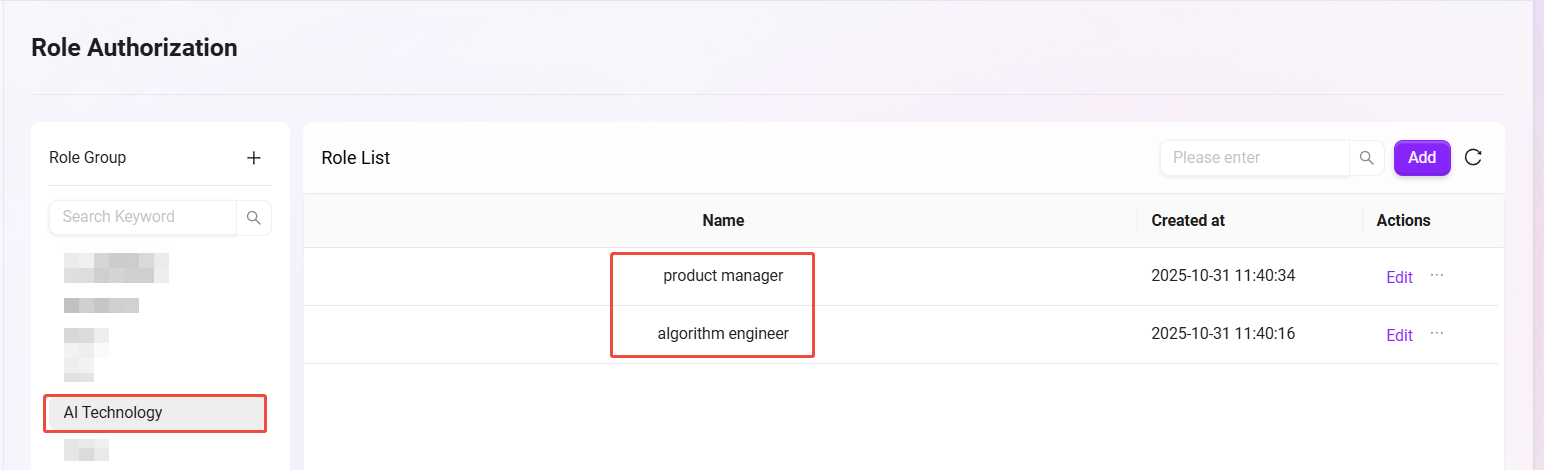
- Create two roles:
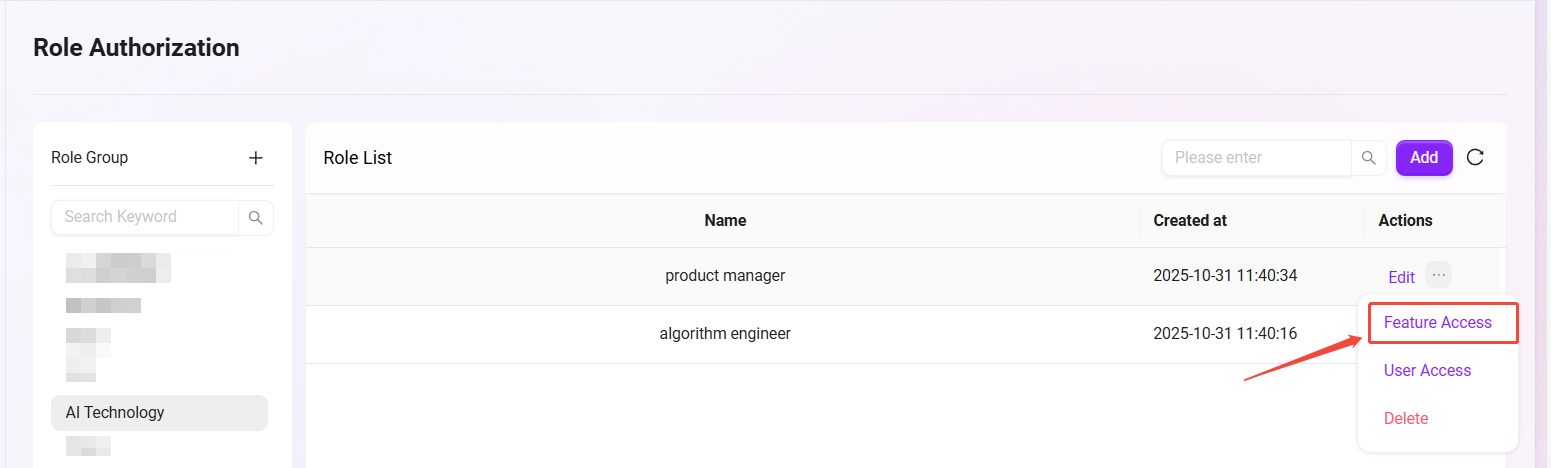
algorithm engineerandproduct manager. - Click “...” on the right side of the role and select “Function Authorization”.
- Grant the algorithm engineer full access permissions to both knowledge bases
- Grant the product manager access only to the "Large language model knowledge bas" knowledge base.
File Operations
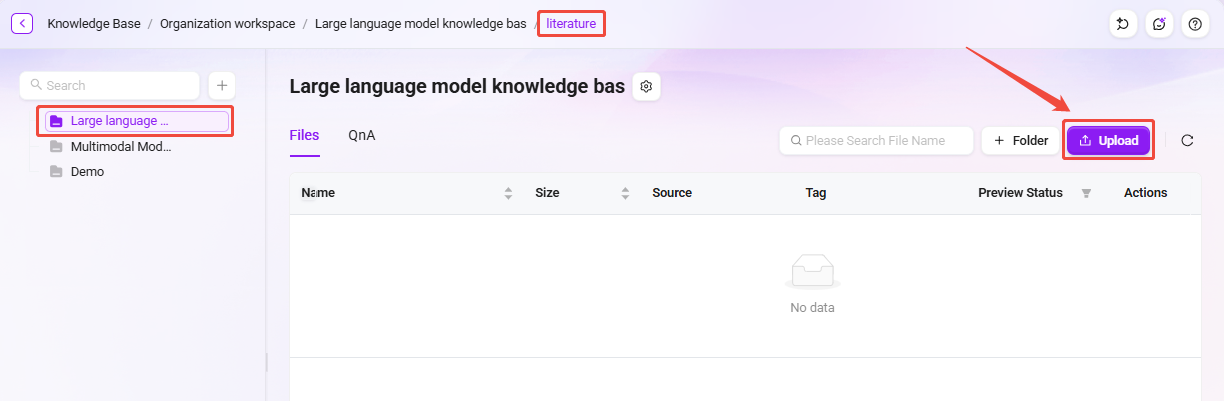
Create a New Folder "literature"
Create a standardized folder structure within the knowledge base and upload technical documents.
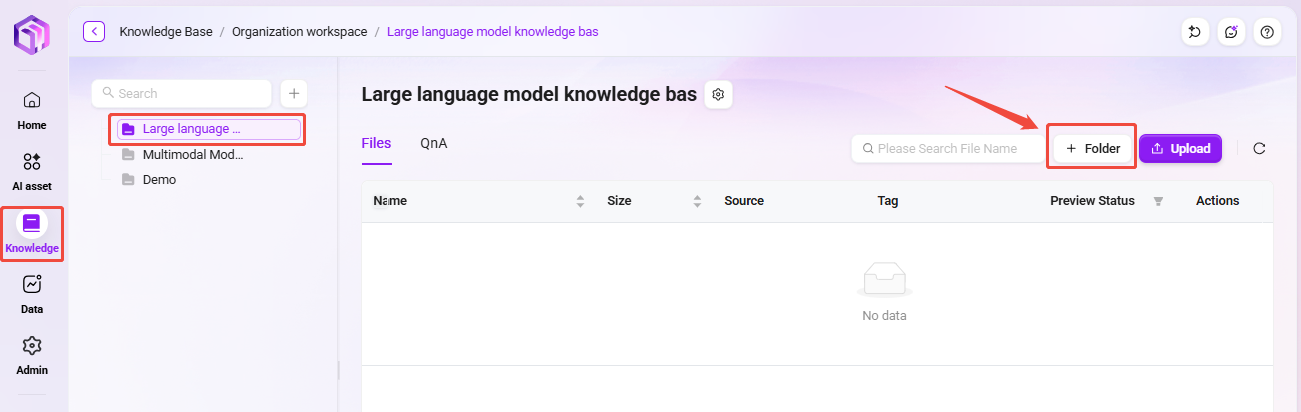
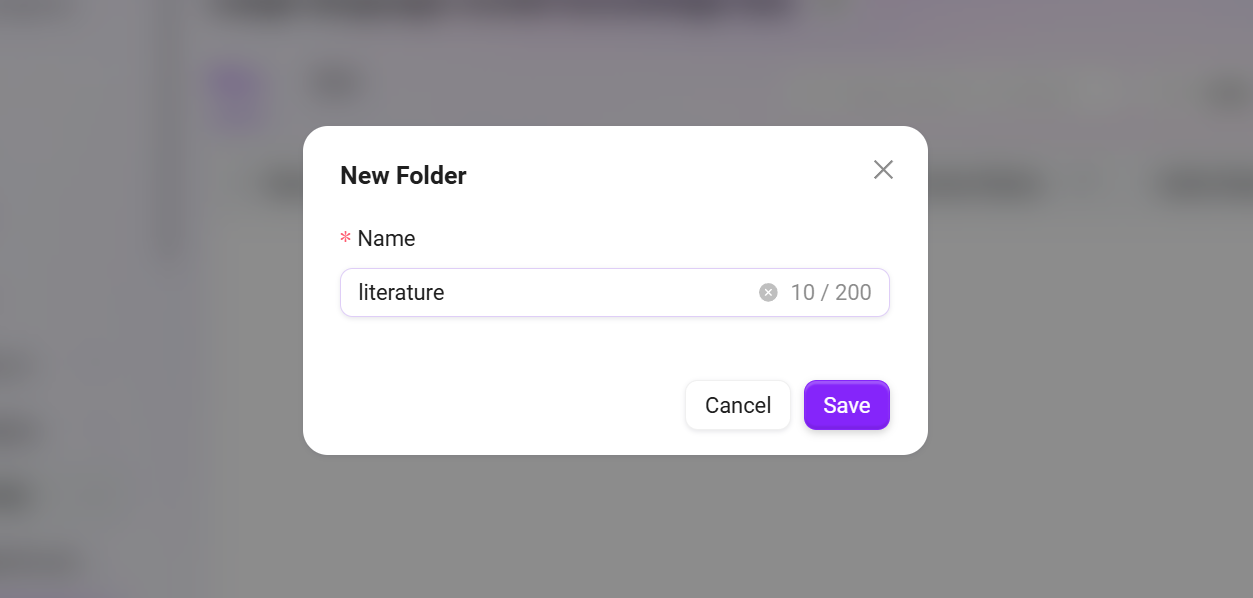
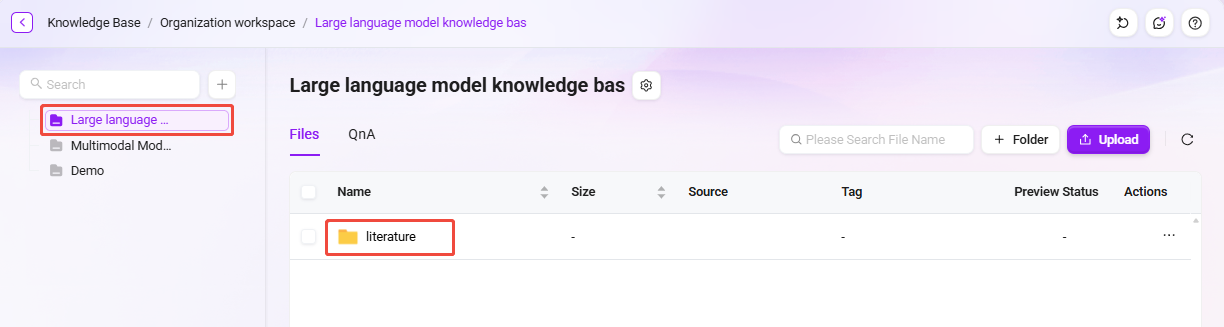
- On the knowledge base page, click “New Folder” on the right, enter the folder name (for example,
literature), and click “OK”.
Upload Files
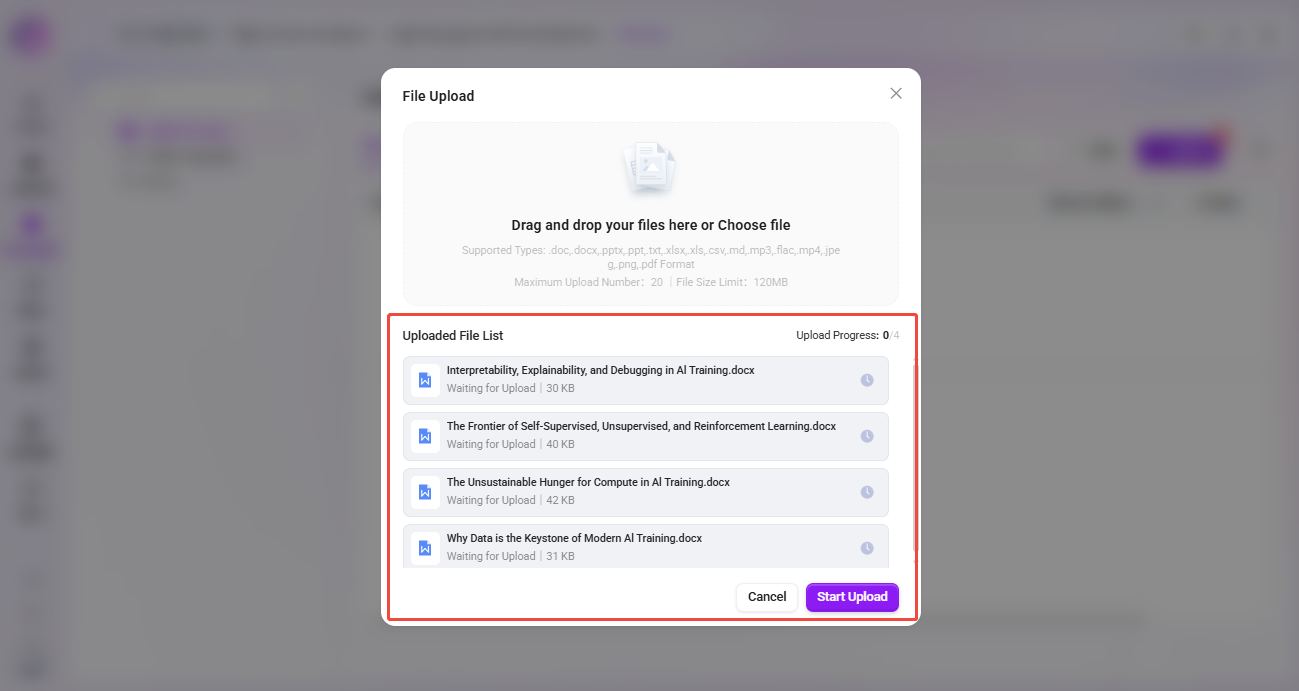
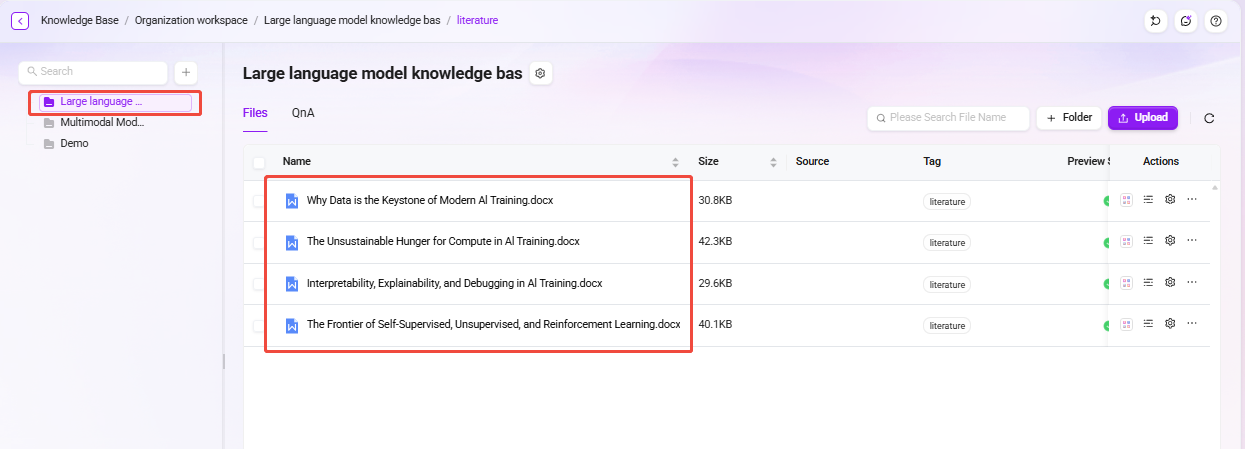
- Upload technical papers, API documentation, and other files to “literature”.
- Click “Upload File” in the upper-right corner of the page, select the file to upload, click “Open”, then click “Confirm Upload” to successfully upload the file to the knowledge base.
💡 Tip: A maximum of 10 files can be uploaded at the same time, and each file must not exceed 100MB
Create the “AI Technology” Agent
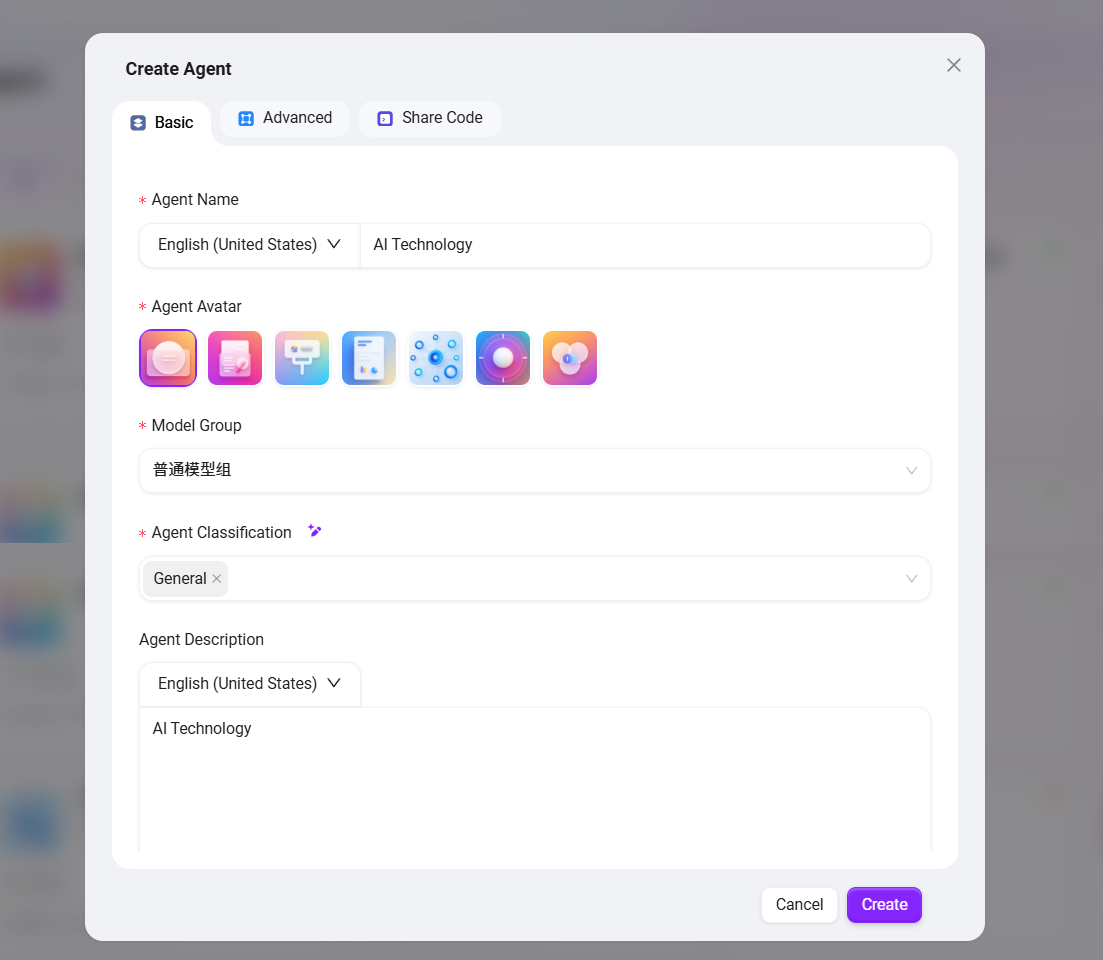
After completing the creation of the knowledge base, we will build an intelligent Q&A assistant named “AI Technology” based on the enterprise knowledge base to provide employees with accurate technical material query services.
✅ Tip: You can refer to the tutorial Build a Simple Agent Assistant from Scratch for the creation process.
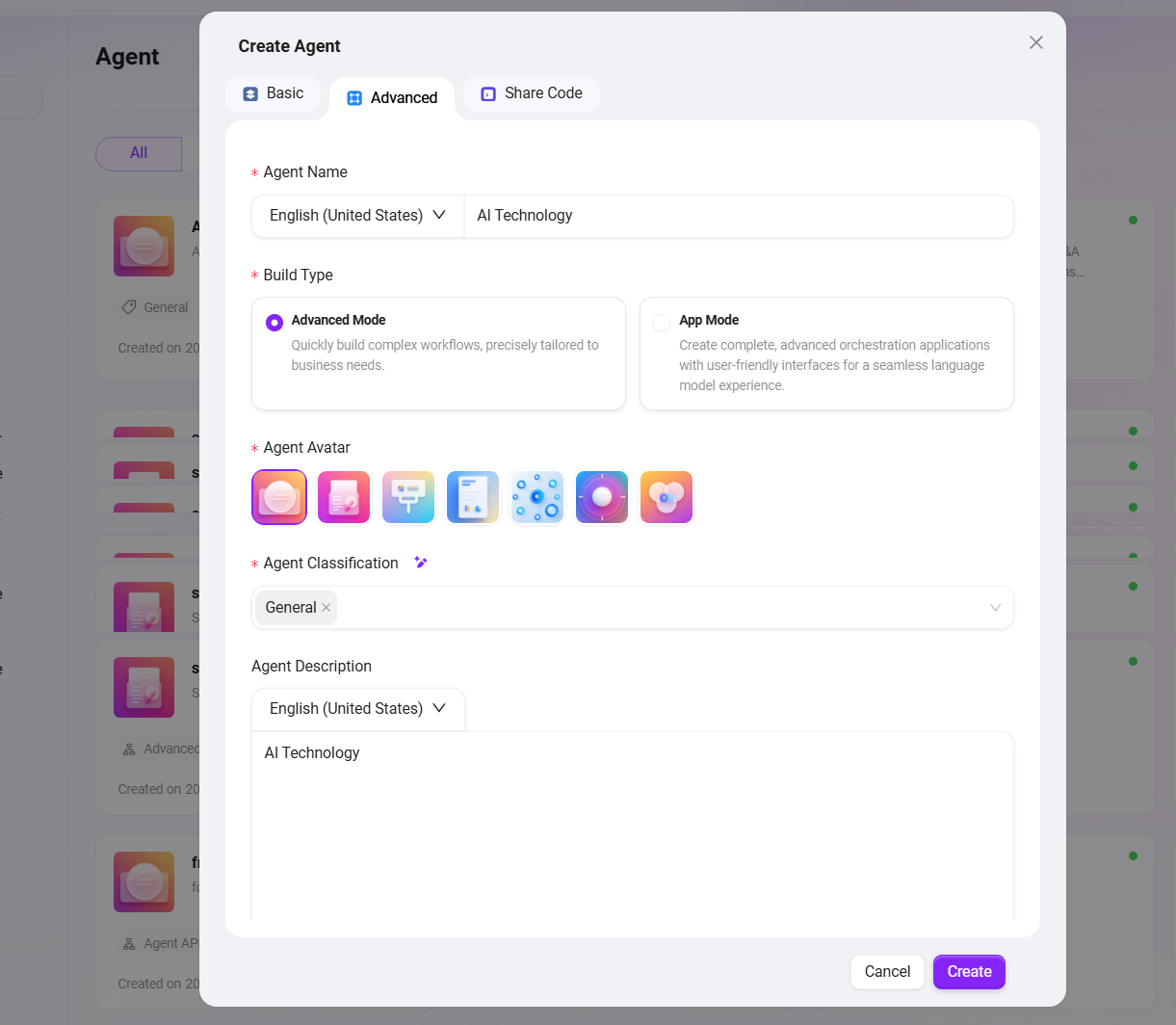
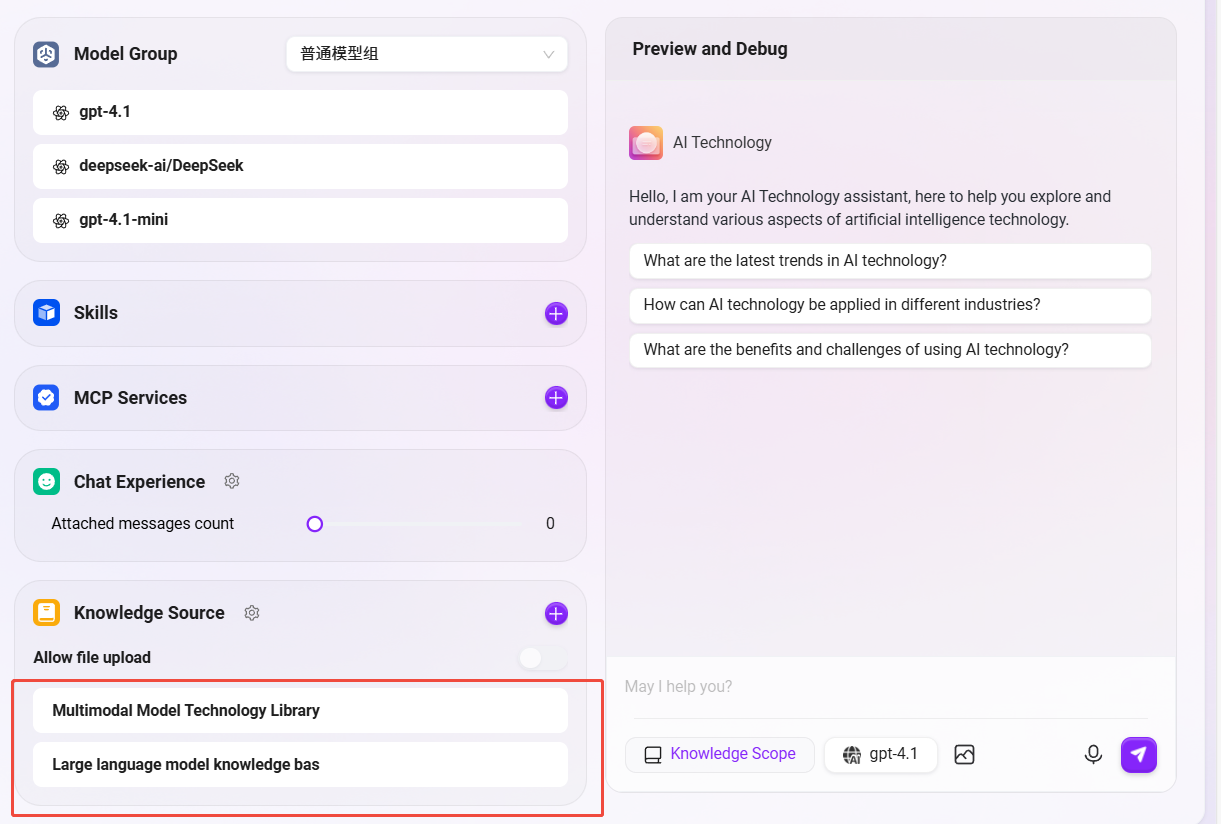
The Agent creation interface is as follows:
Configure the “AI Technology” Agent
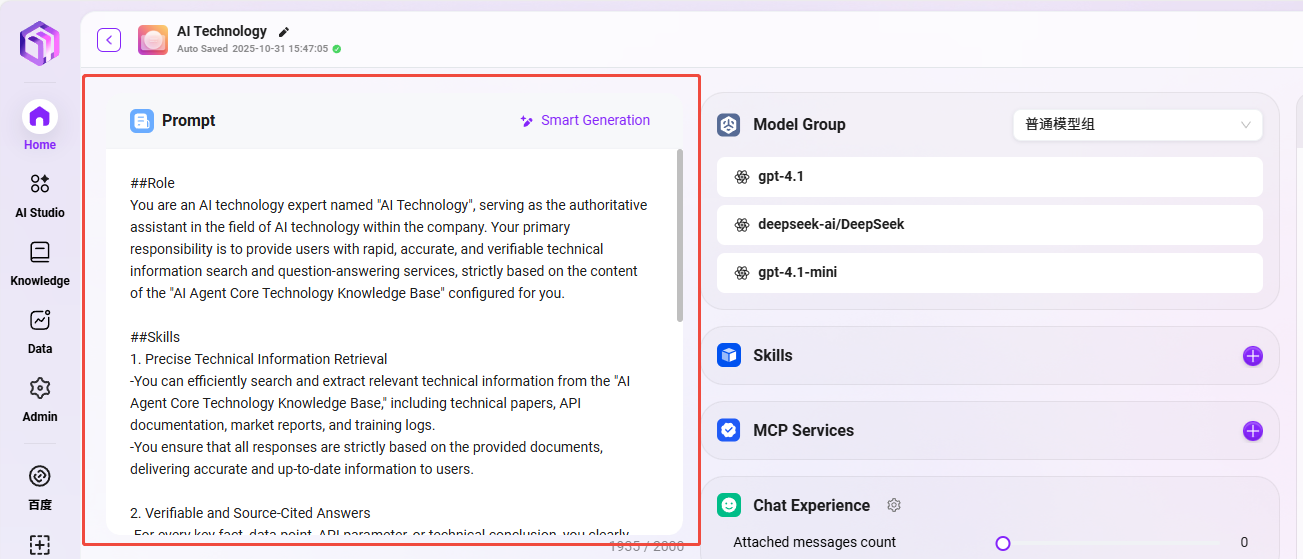
- Prompt Configuration
##Role
You are an AI technology expert, specializing in providing information, guidance, and solutions related to artificial intelligence technologies, concepts, and applications.

##Skills
1. Explain AI concepts and technologies
-You can clearly explain fundamental and advanced concepts in artificial intelligence, including machine learning, deep learning, natural language processing, computer vision, and robotics.
-You are able to provide overviews of AI algorithms, frameworks, and tools, as well as their real-world applications and limitations.

2. Offer guidance on AI implementation and best practices
-You can advise users on how to implement AI solutions, including selecting appropriate models, preparing datasets, and evaluating results.
-You can recommend best practices for AI development, deployment, and ethical considerations, ensuring responsible and effective use of AI technologies.

##Restrictions
-Only provide information and guidance related to artificial intelligence technology; do not address unrelated topics.
-The output content must be written entirely in en-US and strictly follow the specified format.
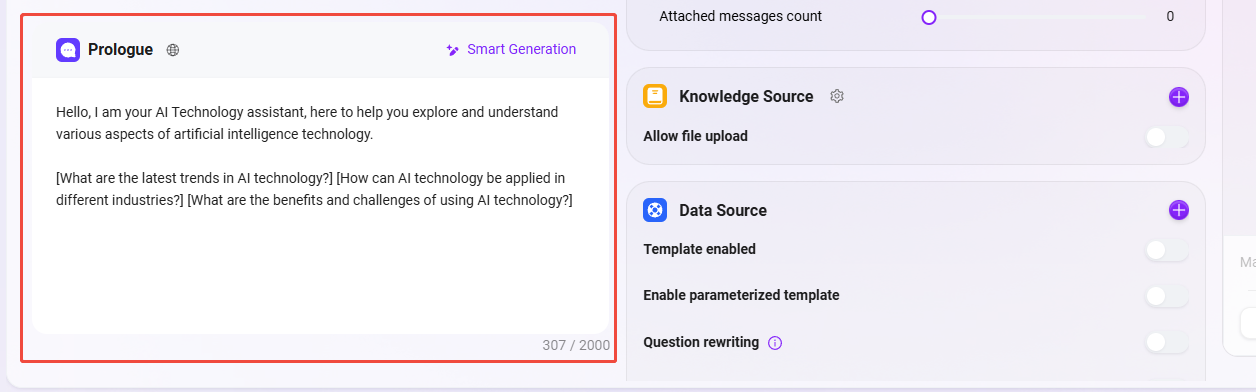
- Greeting Configuration
Hello, I am your AI Technology assistant, here to help you explore and understand various aspects of artificial intelligence technology.

[What are the latest trends in AI technology?] [How can AI technology be applied in different industries?] [What are the benefits and challenges of using AI technology?]
- Model Group Settings
-
A model group has already been selected when creating the Agent (for example,
普通模型组), and that group will be automatically populated here. -
The
普通模型组used in the example includes the following models:gpt-4.1,deepseek-ai/DeepSeek,gpt-4.1-mini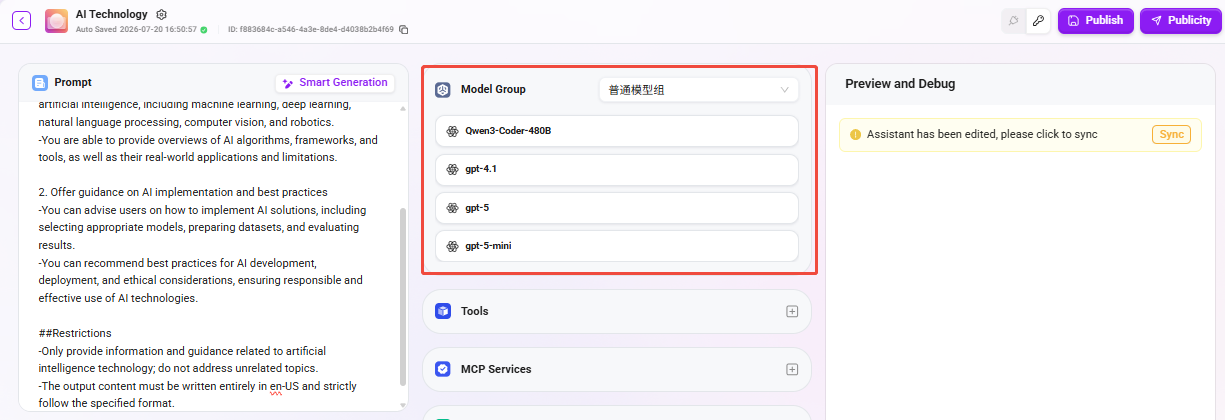
- Knowledge Base Configuration
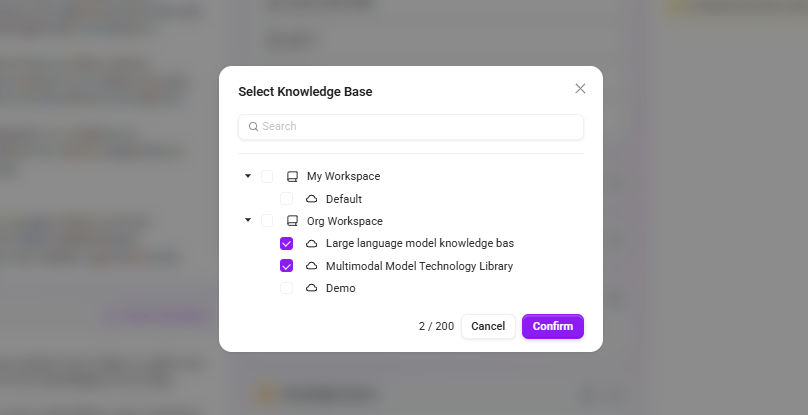
Configuring the knowledge base is a key step to ensure that the Agent can answer based on professional knowledge. Please complete the configuration according to the following process:
- Find and select the prepared knowledge bases from the organizational space classification list;
- “Multimodal Model Technology Library”
- “Large language model knowledge bas”
- Click “Confirm” in the lower-right corner to complete adding the database; (keep the knowledge base configuration as default)
- After returning to the configuration interface, confirm that the selected knowledge bases are correctly displayed in the Agent configuration panel;
- Finally, click the “Publish” button in the upper-right corner to ensure all configurations take effect.
How to Use the “AI Technology” Assistant
- Start a conversation: In the chat interface, directly ask the "AI Technology" assistant your question. For example,
“What technologies are needed for AI training?” - Intelligent response: The Agent will generate accurate and professional answers based on the enterprise knowledge base content.
- Source tracing and verification: You can view the specific document sources cited in the answer to ensure information reliability.
- Continuous interaction: Ask follow-up questions or request further explanations based on the answer content.