Knowledge Base Intelligent Search
SERVICEME Intelligent Search Feature Details
To improve information retrieval efficiency, the SERVICEME platform provides two search methods: "Quick Search" and "AI Search". Users can access both through a unified entry point on the homepage. These two search modes are suitable for different types of query needs, meeting diverse usage scenarios.
Intelligent Search Entry
Below the input box on the platform homepage, users can click "AI Search" to enter the intelligent search interface (as shown below).
This entry is located in the central main operation area, alongside AI reading, data analysis, web summarization, and other functions, allowing users to initiate intelligent Q&A or query operations at any time.

Quick Search — Keyword Direct Access to Information Sources
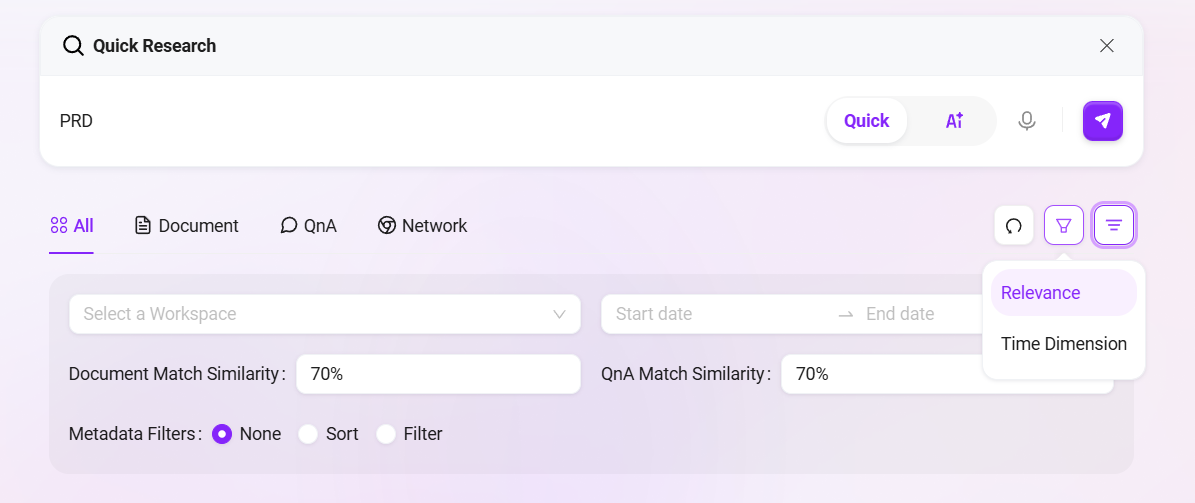
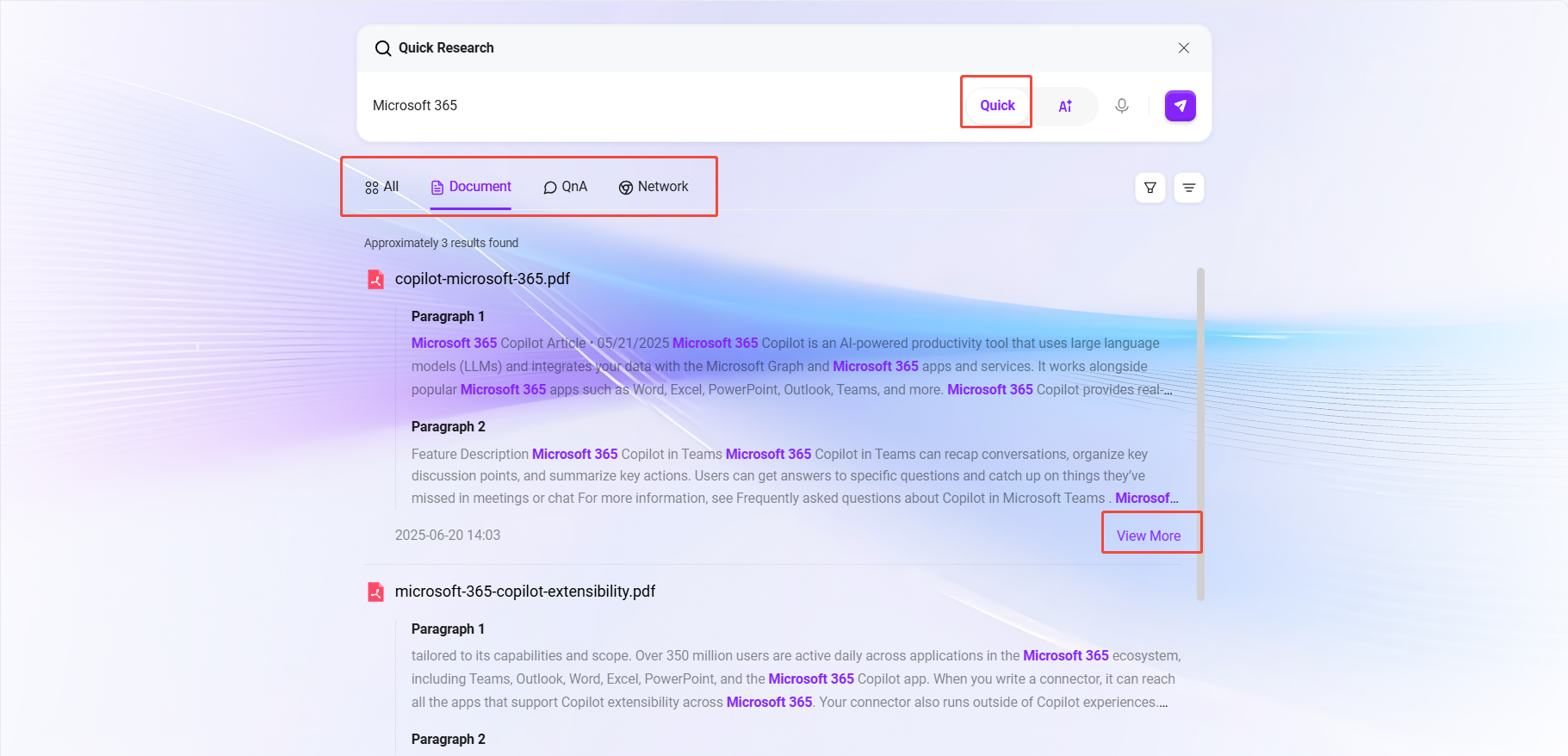
Quick Search is based on a keyword matching mechanism. The system quickly locates relevant content across multiple data sources, including:
-
Knowledge Base Document Retrieval: The system searches documents in the knowledge base containing the input keywords;
- For example, searching
Microsoft 365will automatically find related content in all knowledge documents; - Matched documents are sorted by relevance, making it easy to prioritize the most pertinent materials;
- Supports clicking “View More” below search results to preview documents online.
- For example, searching
-
QnA Matching: The system also automatically identifies and recommends frequently asked questions and answers related to the keywords.
-
Online Search: If the knowledge base does not contain relevant content, the system will provide extended information sources through online search.
✅ Applicable Scenarios: Quick Search is suitable for fast locating and consulting known keywords, terms, product names, feature points, and similar information.
AI Search — Semantic Understanding, Intelligent Answer Generation
AI Search is based on natural language processing technology, capable of deeply understanding the true intent behind user queries and converting them into internal problem processing requests. It combines multiple data sources to provide accurate and natural answers.
Features
-
Automatic Question Parsing: Users can directly input complete questions or descriptive sentences (e.g., “How to configure Microsoft 365 email auto-forwarding?”). AI automatically parses the intent and converts it into a searchable knowledge request.
-
Multi-source Fusion Retrieval: AI Search answers can come from:
- Knowledge base documents
- Configured QnA libraries
- Online information (such as web content)
-
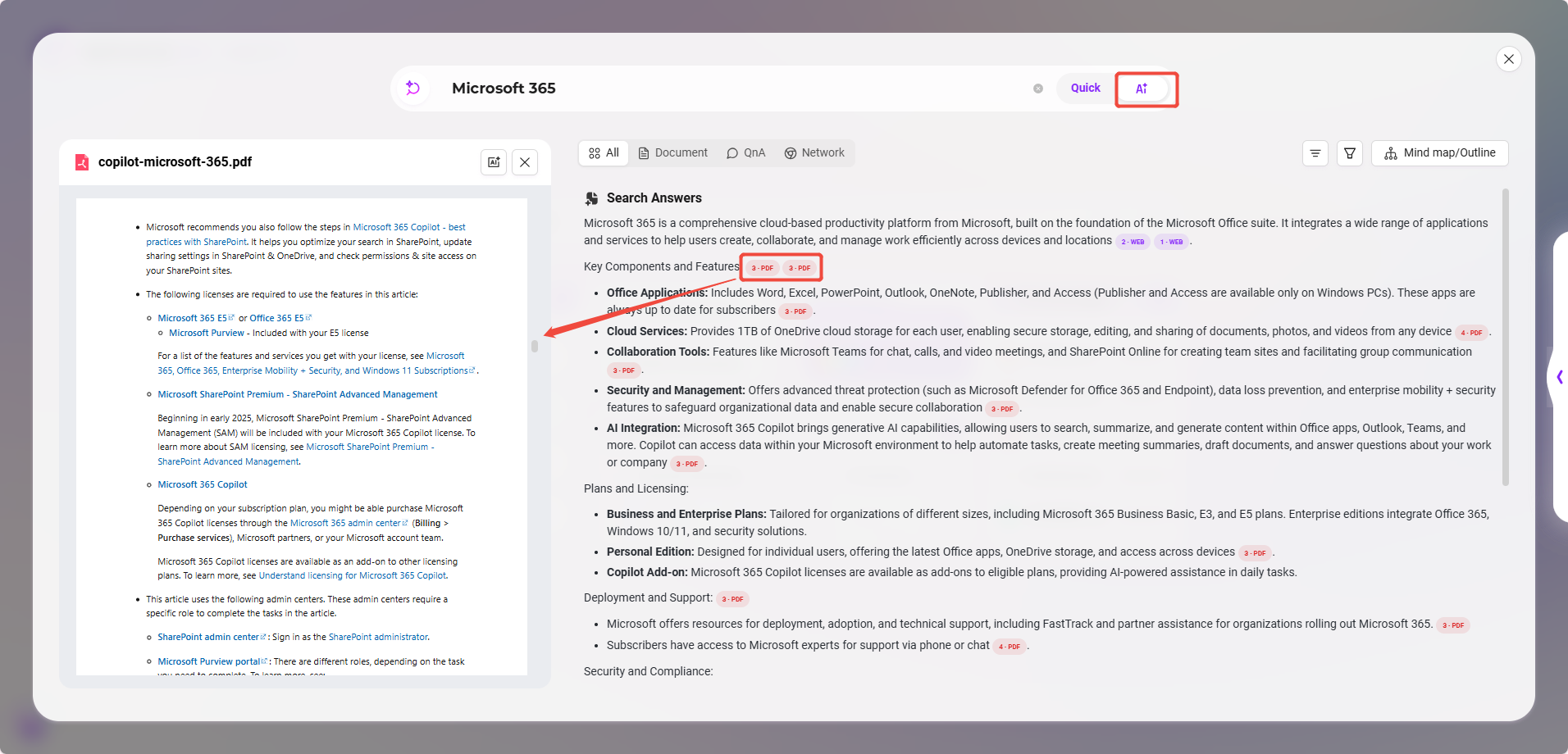
Source Citation: Each AI answer automatically includes the source document of the referenced knowledge;
- Clicking the citation opens the document on the left for content preview, facilitating verification and in-depth reading.
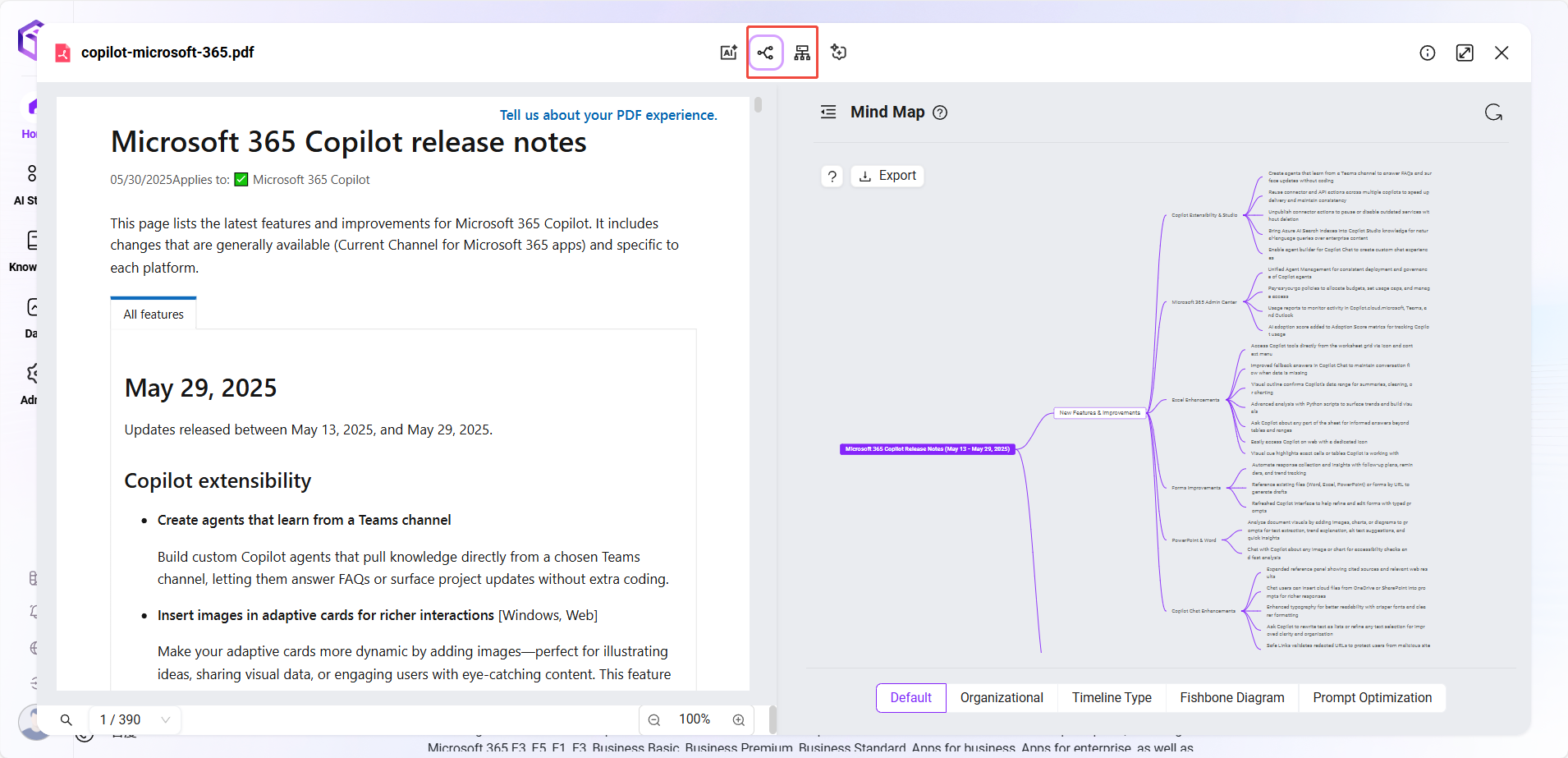
- Intelligent Summary Output: After answering, users can click the “Mind Map/Outline” button on the right side of the answer. The system will automatically extract and summarize the current answer content:
- Visualize core points and structure as a mind map;
- Present a clear content structure as an outline, facilitating subsequent organization, reuse, or documentation.
✅ Applicable Scenarios: AI Search is suitable for scenarios where keywords are uncertain, or systematic answers or more complex questions are desired.
Feature Comparison Overview
| Feature Comparison | Quick Search | AI Search |
|---|---|---|
| Input Method | Keywords | Natural language questions |
| Matching Mechanism | Keyword matching | Intent recognition + multi-source retrieval |
| Returned Content | Documents, QnA, online results | Answers (with source citation) |
| Additional Capabilities | Document preview | Citation jump, mind map/outline generation |
| Applicable Scenarios | Quick content location | Obtaining structured answers |
Search Scope
-
Search Content: File names, file contents, QnA questions, QnA answers
-
Supported Languages: Chinese, Traditional Chinese, English (other languages can be added in multilingual settings)
-
Supported File Types: TXT, DOCX, XLSX, XLS, PPTX, PDF
-
Search Result Display: All, Documents, QnA, Online
-
Search Filter Conditions: File space, date, metadata filtering, document matching similarity, QnA matching similarity
-
Search Result Sorting: Relevance, time dimension